
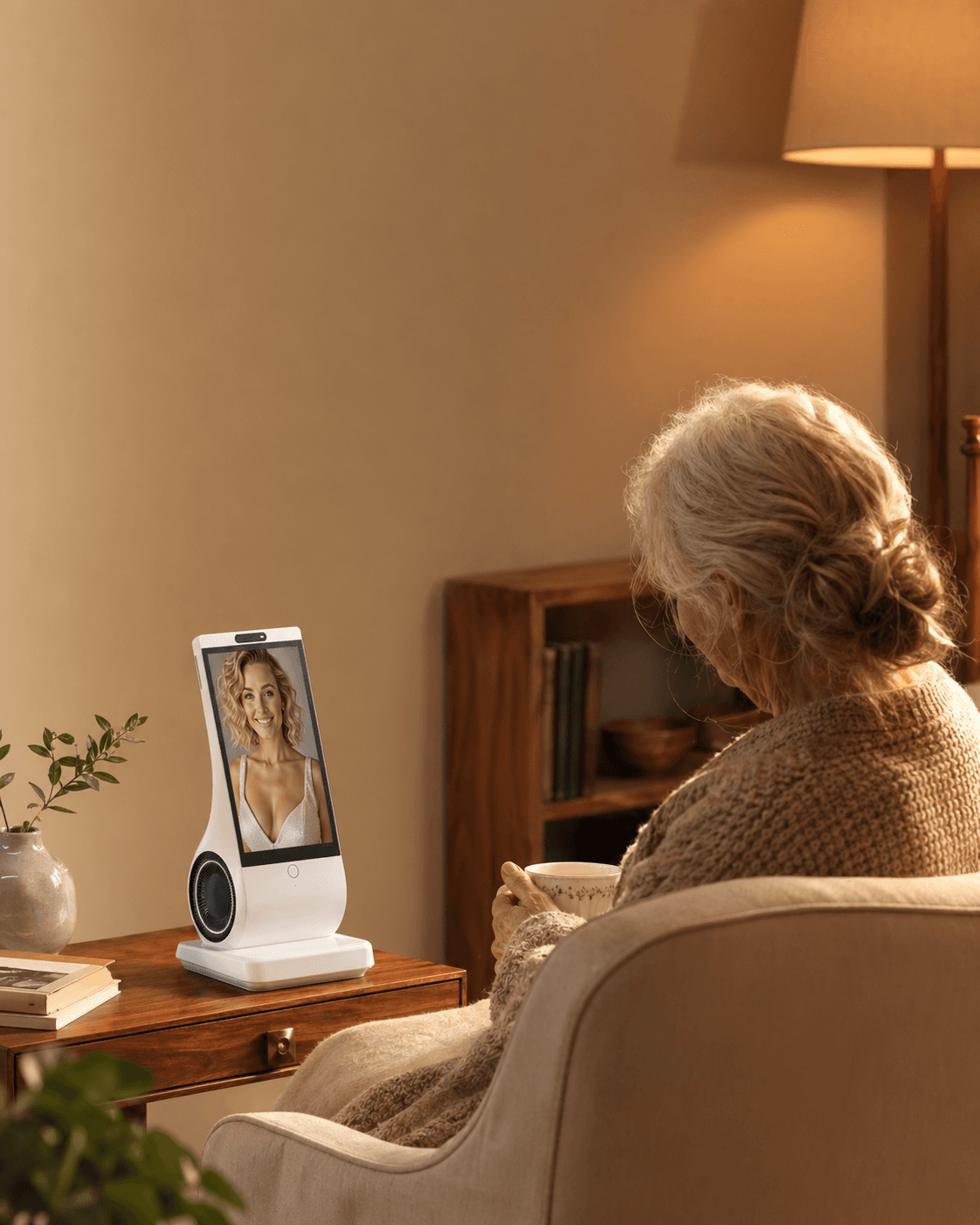
Maybe—but age is a poor predictor. An older parent is more likely to keep using an AI companion when they choose it, can hear and understand it in their own room, find one recurring use they value, trust its privacy boundaries, and know who will fix ordinary problems. Treat the first week as a reversible household trial, not a gift reveal or a test of competence. If the device creates more work, embarrassment, or family surveillance, return it.
An adult daughter sees a companion device and imagines a gentler 4 p.m. for her father: someone to talk with after the news ends and before she calls. Her father sees a box he did not ask for, another password, and perhaps an unspoken message—You are lonely, and I am outsourcing you. Both readings can be reasonable.
That is why “Will my parent use it?” cannot be answered by an age bracket, a list of features, or a demonstration video. It is a question about fit between one person, one home, one family arrangement, and one product. A successful first conversation proves little. The better test is whether the parent chooses to return to it after the novelty fades, can recover when it misunderstands them, and still feels in control of the room.
This guide is for families considering a conversational AI companion for an adult who can decide whether they want one. It is not a guide to imposing technology on someone, monitoring them without consent, treating depression, managing dementia, replacing care, or handling emergencies. If safety, capacity, or a major change in mood or cognition is the real concern, a device trial is not the first decision to make.
Older adults are not one technology market
The stereotype behind many purchases is simple: younger people adopt technology; older people resist it. Current evidence is messier and more useful. AARP’s 2026 Technology Trends survey of 3,838 U.S. adults found that smartphone ownership among people 50 and older reached 90% in 2025. AI use in that age group rose from 18% in 2024 to 30% in 2025. About half were already using or interested in a voice personal assistant.
The same survey found substantial reluctance. Fifty-nine percent expressed no interest in platforms such as ChatGPT or Copilot. Privacy, trust, perceived value, setup, and age-unfriendly design remained barriers. Those findings do not tell you what an 82-year-old mother in Lyon, a 69-year-old father in Busan, or a 76-year-old Arabic-speaking grandfather in New Jersey will do. They do show why “seniors hate tech” and “voice makes it easy for seniors” are both lazy conclusions.
People arrive at a companion device with different histories. One parent has used video calls, online banking, and a smart speaker for years. Another has a smartphone but only opens three familiar apps. A third avoids connected devices after being scammed. Someone with arthritis may welcome voice interaction; someone with hearing loss may find it tiring. A retired engineer may be curious about how the model works. A retired teacher may reject the premise that a machine should act familiar. None of these reactions is irrational.
A 2025 systematic review in JMIR Aging examined qualitative evidence about assistive-technology adoption by older adults and carers. It found recurring barriers such as cost, unfamiliarity, poor functionality, perceived lack of need, and mismatch between design and the user’s actual preferences. The review also warns that many studies are small and that research participants are often younger, wealthier, or more educated than the wider older population. In other words, adoption research can suggest what to test; it cannot select a device for your parent.
The most respectful starting assumption is neither “they will never get it” nor “they will love it once I set it up.” It is: they may value this if it solves a problem they recognize, on terms they accept, with effort they consider reasonable.
Separate three questions: can, wants to, and keeps using
Families often compress three different questions into one.
Can the parent operate it? This is about access. Can they activate it, hear the response, understand when it is listening, adjust the volume, and recover from a failed exchange? Can they use it from their usual chair, with the television or air conditioner running? Does it work with their language, accent, speech pattern, hearing aids, vision, reach, and dexterity?
Does the parent want it in the home? This is about purpose and consent. Do they want spontaneous conversation from a machine? Are they interested in a personalized voice or avatar, or would that feel uncanny? Does the product solve a quiet part of the day they actually dislike? Would they prefer radio, a pet, a neighbor, a class, a family call, or simply silence?
Will the parent keep using it? This is about life after setup. Does the device remain reliable? Does it remember enough to feel less repetitive without creating privacy unease? Can the parent restart after a misunderstanding instead of giving up? Who handles Wi-Fi changes, account access, updates, billing questions, and support? Is the device still chosen on day 30, not merely tolerated because a child paid for it?
A “yes” to one does not imply a “yes” to the others. A parent may be perfectly capable and uninterested. They may be eager but unable to hear it in their kitchen. They may enjoy the first evening and stop after the third login problem. They may also surprise the family by making the device part of breakfast while ignoring every feature the buyer considered important.
Do not treat refusal as evidence of decline. Do not treat compliance as enthusiasm. The useful signal is voluntary, independent return: when nobody reminds them, do they choose to speak with it again?
Begin with the parent’s day, not the product page
Before discussing brands, ask where conversation, boredom, friction, or curiosity actually appears in the day. “You need company” is a judgment. “What is the stretch between lunch and the evening news like?” is a question.
Consider four households.
In the first, a widower enjoys a long call with his son every Sunday and sees neighbors twice a week. Weekday afternoons are quiet, but not distressing. He likes history and already talks to a smart speaker for facts. An AI companion might earn a place by continuing a discussion about a documentary. It should not be sold as a cure for loneliness he does not report.
In the second, a woman repeatedly says she is lonely but rejects a senior center because the journey hurts and group activities feel forced. A device could offer optional conversation at home. It cannot restore mobility, create a reciprocal friendship, or resolve the reasons she avoids other people. The family still needs to explore transport, hearing, pain, bereavement, community options, and professional support when appropriate.
In a third home, a father is exhausted by passwords while his wife is curious about AI and already uses voice messages. The same product may add remote support work for him and feel refreshingly direct to her. Each intended user needs a separate trial; “senior-friendly” is not a household verdict.
These cases lead to a better discovery conversation:
- What part of the day feels too quiet, if any?
- What do you already enjoy doing alone?
- When you want conversation, whom or what do you turn to?
- Would talking to a device feel interesting, silly, intrusive, or useful?
- What would make you stop using it after a week?
Listen for a job the parent names in their own words: “I want someone to discuss baseball with when the game ends,” “I would like reminders that do not sound like orders,” or “I want to ask questions without opening an app.” “My daughter worries less” may matter to the family, but it is not enough by itself to sustain the parent’s use.
Check ownership of the routine before buying
Ask the parent to name a recurring moment they would like to change. Then identify who starts the interaction, who handles ordinary faults, who manages the account and who can stop or return the product. Each helper must actually agree; a distant relative's assumed availability is not a support plan.
Try the intended routine without repeated persuasion. Record whether the parent chooses it and what help it needs. If they prefer another activity or do not want a device, accept that result rather than increasing prompts to produce usage.
No fit score predicts adoption. Decide from the parent's preference, demonstrated routine and sustainable support, not from the purchaser's enthusiasm or sunk cost.
Do not make it a surprise “loneliness gift”
A wrapped companion device can look generous to the giver and humiliating to the recipient. The problem is not gift-giving itself. It is that the purchase may announce a diagnosis the parent never accepted: You are lonely, old, difficult to call, or unable to organize your own day.
Ask before ordering. The conversation does not need to begin with loneliness.
Try: “I found a device you can talk with about books, news, and everyday questions. It is not a person and it is not a care system. Would you like to test one with me and decide whether it deserves space in your home?”
Avoid: “This will keep you company so you do not call me so much.” Even if call pressure is a real family problem, assigning a machine to absorb it is unlikely to produce trust. Boundaries about phone calls should be discussed as boundaries. A companion can occupy some quiet time; it should not carry the emotional burden of a bargain the family refuses to name.
Give the parent real choices: whether to try it, where it sits, which voice or persona it uses, what information is added, which privacy settings are enabled, and when it leaves. If personalization uses a photograph or voice sample of another person, obtain that person’s permission and consider whether familiarity would feel comforting, deceptive, or upsetting.
A parent can also say, “I do not want a machine acting like a friend.” Do not counter with a lecture about research. Offer a neutral demonstration or let the answer stand. Consent that must be won through exhaustion is not consent.
Run the trial in the room where life happens
Showroom success is cheap. At home, the television is on, a kettle boils, the router is behind a cabinet, and the parent speaks from a recliner rather than 30 centimeters from a microphone. Test there.
Test activation and turn-taking
The parent should start a conversation without reading a card prepared by the family. Watch for uncertainty about when the system is listening and whether it has finished speaking. Can they interrupt a long answer? Can they stop the interaction without unplugging it? If a wake word, button, touch, or presence trigger is involved, does it work from the normal sitting position?
Test the actual voice, not a generic command
Ask the parent to speak as they naturally do: at their usual volume, pace, and accent, with a question they care about. A system that recognizes the buyer’s crisp demonstration but repeatedly fails with the intended user has failed the test. Recognition quality can vary by language, accent, environment, and voice. “It will learn eventually” is not an acceptable substitute for a return-window decision.
Test hearing in background noise
Run the device with the television at its normal volume. Move it to the intended location. Check whether speech is clear without becoming uncomfortably loud for everyone else. The W3C’s work on older users notes that age-related hearing changes can make higher pitches and foreground speech in background noise harder to discern. A person using hearing aids may have very different results depending on room acoustics and device settings. If listening requires sustained strain, novelty will not turn it into a daily habit.
Test repair after a mistake
Every conversational system misunderstands. Deliberately choose a name, place, or topic it is likely to get wrong. Can the parent say, “No, I meant…” and recover? Does the response acknowledge uncertainty, or confidently continue on the wrong path? Adoption often depends less on perfect recognition than on whether failure feels repairable rather than blaming.
Test one meaningful return
Do not sample twenty features. Choose one use the parent requested and repeat it on another day. Continue yesterday’s discussion. Ask for a new story prompt. Revisit a routine. A companion earns space through repeated value, not feature count.
Test silence and boundaries
The parent should be able to ignore the device without guilt. If it initiates conversation, is the timing welcome? Can proactive prompts be reduced or stopped? Does the device create pressure to respond, or anxiety that something bad will happen if it is neglected? A household companion should tolerate being a quiet object.
Test recovery from ordinary failure
Disconnect and restore Wi-Fi, restart the device according to its instructions, and confirm what remains unavailable without the network. Do not perform destructive resets. The goal is to learn whether a normal interruption becomes a family emergency. Write down the minimum recovery steps in plain language, but make sure the parent is not expected to troubleshoot a system they never agreed to administer.
A seven-day adoption trial
Use the return period, but do not wait until its final evening to discover basic problems. A seven-day household trial produces better evidence than a single enthusiastic demonstration.
Before day 1: Agree on the purpose, privacy choices, device location, support person, and stop rule. Record the return deadline. Do not import intimate history merely to make the first conversation impressive.
Day 1 — orientation: Let the parent control the unboxing or setup as much as they want. Demonstrate only how to start, correct, end, adjust volume, and get help. Finish with a topic the parent selected.
Day 2 — independent start: Do not prompt use all day. Later, ask whether the parent chose to start a conversation. If not, ask why without defending the purchase. Forgetting, lack of interest, uncertainty, and a badly timed prompt point to different fixes.
Day 3 — real-room friction: Test with normal lighting, noise, distance, accent, and hearing aids. Note recognition failures and listening effort. Move the device only with the parent’s agreement.
Day 4 — useful continuity: Revisit a previous topic or routine. Check whether memory is accurate enough to help and whether the parent is comfortable with what is remembered. Correct or delete information if controls allow.
Day 5 — privacy and control: Review listening indicators, account access, model-improvement settings, stored memory, deletion controls, connected accounts, and purchasing permissions. The FTC advises voice-assistant users to understand when a device listens, examine recording retention, secure the associated account and router, and limit connected services or voice purchases where appropriate.
Day 6 — family step-back: The buyer does not lead the session. The parent decides whether and how to use the device. This day reveals whether the companion belongs to the parent or remains the buyer’s project.
Day 7 — keep, modify, pause, or return: Ask four concrete questions: What did you choose to use? What annoyed or tired you? What would you miss if it left tomorrow? What support would you need next month? “It was fine” is not a reason to keep an expensive connected device. Neither is the buyer’s reluctance to admit a gift did not land.
If the result is “maybe,” extend the trial only when the return policy permits and there is a specific question left to answer. Do not let indecision silently become ownership.
The hidden adoption cost is family support
A device can be voice-first for the parent and still be app-heavy for the person handling accounts, Wi-Fi, updates, privacy controls, billing, and support. If a child buys it to reduce repeated calls and then receives more calls about the device, frustration can turn a product problem into an old family argument. Name the support work before purchase.
- Who owns the account and recovery email?
- Who knows the return and warranty dates?
- Who can visit if the device cannot reconnect?
- Can support diagnose a problem without reading private conversations?
- What response time is realistic: ten minutes, one day, or the next visit?
- What happens if the helper travels, becomes ill, or changes phone numbers?
The answer does not always have to be an adult child. It might be the parent, a local friend, residence staff acting within their role, a paid technician, or manufacturer support. What matters is that the arrangement is explicit and does not quietly convert companionship into surveillance.
Accessibility is a live test, not a “senior-friendly” label
Marketing language such as “simple,” “intuitive,” or “made for seniors” does not answer whether the intended user can comfortably operate the product.
Hearing and speech
Confirm usable volume, voice clarity, speech rate, and recognition in the real acoustic environment. Ask whether captions or a visible transcript exist, but do not assume a screen is easier. Some users find text reassuring; others find reading small type more demanding than listening. Speech differences caused by stroke, Parkinson’s disease, dental changes, fatigue, or accent may affect recognition. A failed voice test is a product mismatch, not a speaking failure.
Vision and light
If the device has a display, inspect contrast, text size, glare, viewing angle, and whether essential state changes rely only on color. Can the parent tell when it is listening from the usual seat? If a personalized avatar is central to the experience, can they see it without leaning forward or moving the device into an unsafe place?
Reach, dexterity, and placement
Small buttons, recessed switches, stiff plugs, and touchscreen gestures may be harder than conversation. A cable crossing a walking route is unacceptable. So is a device placed on an unstable tray because the microphone works only nearby. Plugged-in operation may be practical, but the cable and outlet must fit the room safely.
Memory and cognitive load
Voice removes menus but not all cognitive work. The W3C’s 2026 research module on voice and conversational interfaces describes demands on memory, attention, processing speed, reasoning, language, and executive function. Users may need clear feedback, consistent interaction, simple repair, and access to human help without a complex menu. A free-form chatbot can also produce long, shifting answers that are harder to follow than a conventional button.
If a parent has dementia, delirium, aphasia, or a recent unexplained change in cognition, do not assume a companion designed for general adult use is suitable merely because it speaks. Involve the parent to the extent possible and seek advice from people who understand their clinical and care context. Watch for distress, misidentification, unsafe reliance, disrupted sleep, or confusion about what the system can do. A companion is not a capacity assessment, treatment, monitor, or substitute for a care plan.
Language and culture
A product may list a language while performing unevenly across accents, dialects, code-switching, honorifics, and family forms of address. Test the version the parent will actually speak. Local adoption also depends on expectations about privacy, family obligation, paid care, and what counts as respectable companionship. Do not translate a U.S. “independence” pitch unchanged into every household.
Trust is practical, not a paragraph in the privacy policy
In July 2026, the Future of Privacy Forum reported a nationally representative survey of 1,000 U.S. adults age 55 and older and 1,005 caregivers. Older adults were substantially less comfortable than caregivers with a hypothetical AI companion that included a caregiver-controlled camera. Privacy trust was closely associated with acceptance, and existing engagement with technology predicted willingness better than gender, income, or education in that survey.
The result is especially relevant to gift buyers. A feature that reassures a daughter may make her mother reject the entire product. A camera, transcript dashboard, activity log, family summary, or “look-in” function is not neutral. Its value depends on who controls it, who can withdraw permission, and what the older adult believes home privacy should mean.
Before purchase, answer these questions in ordinary language:
- What activates listening, and how is active listening shown?
- Is audio sent to a server? How long are audio and text retained?
- Are conversations or personal materials used to improve models, and can that be turned off?
- What long-term memory is stored, and can the user inspect, correct, or delete it?
- Who can access the account, conversation history, summaries, or usage data?
- Can voice be used to buy things or open connected accounts?
- What data remains after cancellation, account deletion, return, resale, or the user’s death?
If the buyer cannot answer, the product is not ready for an informed trial. If the parent dislikes the answers, the fact that the device has “industry-standard security” does not settle the decision.
Trust also includes conversational honesty. An AI can be fluent and wrong. It may agree too readily, invent details, or speak with more certainty than its evidence deserves. Ask it a question with a known answer and one it should decline. Explain that it is generated software, not a person listening from a call center and not a reliable source for medical, legal, financial, or emergency decisions.
Signs the trial is working—and signs it is merely being tolerated
Look for behavior, not politeness.
Healthy adoption looks unremarkable: the parent starts without reminders, uses one or two meaningful routines, corrects errors, ignores the device when busy, and can describe its limits. Human contact, hobbies, sleep, and care remain intact. Tolerance looks like use only when the buyer asks, apologies for neglecting it, an unplugged device nobody returns, or reduced family calls because the gift seemed to say calls were unwelcome.
Stop or pause the trial if the device causes sustained distress, sleep disruption, fear, conflict, unsafe action, or confusion about whether it is human. Stop if it repeatedly gives harmful advice, if the parent discloses money or credentials despite warnings, or if family members access private material without valid permission. Seek human help when the parent talks about self-harm, appears in immediate danger, has acute confusion, shows a sudden major change in behavior, or cannot meet basic needs. Use local emergency services for emergencies. An AI companion is not an emergency channel.
Also return it for ordinary reasons. “I find the voice irritating,” “I prefer the radio,” “I do not want another account,” and “I simply do not enjoy it” are sufficient. A consumer product does not need a medical contraindication to be wrong for someone.
Common mistakes that turn curiosity into abandonment
Mistake: buying for “an elderly person” rather than this parent
Correction: Start with the person’s existing routines, language, interests, disabilities, privacy expectations, and technology history. Chronological age is context, not a user profile.
Mistake: demonstrating every feature at once
Correction: Teach start, stop, correction, volume, and help. Let one valuable routine pull the rest of the learning.
Mistake: calling lack of use forgetfulness
Correction: Ask whether the companion is boring, intrusive, hard to hear, hard to activate, poorly timed, or simply unnecessary. Forgetting a product can be a verdict on relevance.
Mistake: solving family anxiety rather than parent demand
Correction: Separate companionship from safety. If the buyer needs fall detection, emergency calling, medication confirmation, or caregiver alerts, choose systems designed and verified for those jobs. Do not load those expectations onto a conversational device.
Mistake: treating voice as automatically accessible
Correction: Test actual recognition and listening effort. Voice can reduce typing and menus, but it can create barriers for hearing, speech, cognition, privacy, and noisy rooms.
Mistake: confusing setup with adoption
Correction: Measure voluntary return, recoverability, and value after novelty. A successful account activation is an administrative event, not a relationship with the product.
Mistake: keeping the device to protect the giver’s feelings
Correction: Agree before purchase that return is a successful outcome if the trial answers the question. The goal is not to prove the buyer had a good idea.
A restrained look at EUVOLA for this use case
EUVOLA is a dedicated, voice-first AI companion hardware device for home conversation, personalized avatars, reminders, and long-term memory. It is not a general-purpose tablet or text-only chatbot. That narrower form may suit an adult who wants a visible home object and natural conversation without opening an app each time.
Several limits matter to adoption. EUVOLA requires Wi-Fi and does not currently work offline. Plugged-in use is recommended; the battery is better treated as temporary backup. It has no camera, but it does use a human-presence sensor to support more natural interaction. Recognition quality can vary by language, accent, environment, and voice, and special optimization for accents and older voices is planned rather than currently available.
EUVOLA supports multiple languages listed in its FAQ, including the six editions of this article. A language listing is not a substitute for testing the intended speaker in the intended room.
Privacy and family-control expectations should be checked carefully. EUVOLA may use a photo, short voice sample, conversation audio and text, and long-term memory. Its current FAQ explains deletion and model-improvement choices. It does not have a current family dashboard for reading conversations, summaries, messaging, photo sending, family accounts, or permission management. Remote setup is planned, not available now.
EUVOLA can create schedule and medication reminders, but it cannot confirm medication was taken, notify family about a missed dose, detect falls, call emergency services, diagnose or treat a condition, provide medical advice, or replace caregivers. A family seeking those capabilities should choose appropriate care or emergency systems first.
Check the current order page, FAQ and return policy for the actual price, included service, renewal, returns and warranty. Record the offer date; an old article is not a current quotation.
For the adoption question, EUVOLA is a plausible trial when the parent wants home-based voice conversation, accepts the data terms, has stable Wi-Fi and a safe plugged-in location, and can get setup help. It is a poor fit when the parent wants offline use, needs reliable emergency functions, expects family remote management, cannot comfortably hear or be recognized, or simply does not want a personalized digital presence at home.
Five actions before you buy
- Ask for interest without labeling the parent lonely. Describe the device honestly and invite a reversible test. Accept “no.”
- Name one recurring job in the parent’s words. A specific afternoon conversation, question habit, reflection routine, or reminder is stronger than “companionship” in the abstract.
- Test voice, hearing, placement, privacy, and error recovery. Use the real room, normal background noise, intended language, and the parent’s normal speech.
- Assign support and record the exit. Identify account ownership, helper, response time, return deadline, warranty, data-deletion steps, and what happens if Wi-Fi fails.
- Review voluntary use after seven days. Keep the device only if the parent chooses it, can control it, understands its limits, and feels the value exceeds the work and privacy cost.
Frequently asked questions
Are older adults too uncomfortable with AI to use a companion?
No general age rule answers that. AARP’s 2026 survey found growing technology and AI use among adults 50 and older, alongside major differences in interest, trust, privacy concern, perceived value, and digital skill. Prior experience and a clear personal benefit may matter more than age alone. Test one person’s fit without treating enthusiasm or refusal as a measure of intelligence.
Is a voice-first device easier than an app for an older parent?
Sometimes. Voice can remove typing, small touch targets, and nested menus. It can also be difficult for someone with hearing loss, speech differences, a strong accent, slower processing, or a noisy home. Setup and privacy controls may still require an app. “Voice-first” should trigger a real-room test, not an automatic accessibility claim.
What if my parent agrees only because I bought it?
Treat that as weak consent and make return easy. Ask what they would use without mentioning the money spent. Step back for a day. If they never choose the device, feel obligated, or worry about disappointing you, the fair response is to return it rather than coach them into gratitude.
How long should we test before deciding?
Seven days is enough to expose many activation, recognition, placement, privacy, support, and interest problems, but use the actual return window. The decisive signal is not conversation count. It is whether the parent voluntarily returns, gets useful value, can repair mistakes, and wants the object to remain in the home after novelty fades.
What if the device misunderstands my parent’s accent or older voice?
Test the exact language, accent, speech pattern, room, and distance during the return period. Try reasonable placement and volume changes, then contact support if appropriate. Do not blame the speaker or rely on a promised future optimization. If ordinary conversation remains tiring or unreliable, return the product.
Can I manage the companion remotely for my parent?
That depends on the product, and “manage” can mean setup, settings, activity data, summaries, or full transcripts. Ask what the remote user can see and change, obtain the parent’s informed permission, and choose the least intrusive access. EUVOLA says remote setup is planned but not currently available, and family conversation viewing and summaries are not currently offered.
Should we keep an AI companion for a parent with dementia?
Do not decide from the diagnosis alone. Consider the person’s preferences, stage and pattern of impairment, hearing, speech, distress, tendency to misidentify objects, and existing care plan. Involve relevant clinicians or care professionals when needed. Stop if the device increases confusion, distress, unsafe reliance, sleep disruption, or conflict. It cannot replace supervision, clinical care, or emergency support.
Can an AI companion reduce how often my parent calls me?
It might occupy some quiet moments, but do not make reduced calls the hidden condition of the gift. Discuss call boundaries directly and preserve predictable human contact. If the parent uses the companion but human calls, visits, or community contact shrink, the arrangement is moving in the wrong direction.
When is returning the device the right outcome?
Return it when the parent does not want it, cannot comfortably use it, distrusts its data practices, needs capabilities it does not have, or finds that its value does not justify support and cost. A timely return is not a failed adoption program. It is a completed consumer decision.
Reviewed and sources
Reviewed and updated: August 8, 2026.
Community discussions from May through August 2026 were used only to identify household questions about abandonment, technology support, loneliness, and consent. They were not used to establish medical effects, product capabilities, or population prevalence.
- AARP Research — 2026 Tech Trends and Adults 50-Plus
- JMIR Aging — Patient and Carer-Related Facilitators and Barriers to the Adoption of Assistive Technologies for the Care of Older Adults
- Frontiers in Psychology — Factors Influencing Older Adults’ Adoption of AI Voice Assistants
- Future of Privacy Forum — Privacy Concerns and AgeTech Adoption Survey
- W3C — Cognitive Accessibility Research: Voice Systems and Conversational Interfaces
- W3C — Web Accessibility for Older Users
- U.S. Federal Trade Commission — How to Secure Your Voice Assistant and Protect Your Privacy
- National Institute on Aging — Loneliness and Social Isolation: Tips for Staying Connected
- EUVOLA FAQ — Current Product Capabilities, Limits, Privacy, Price, and Support