
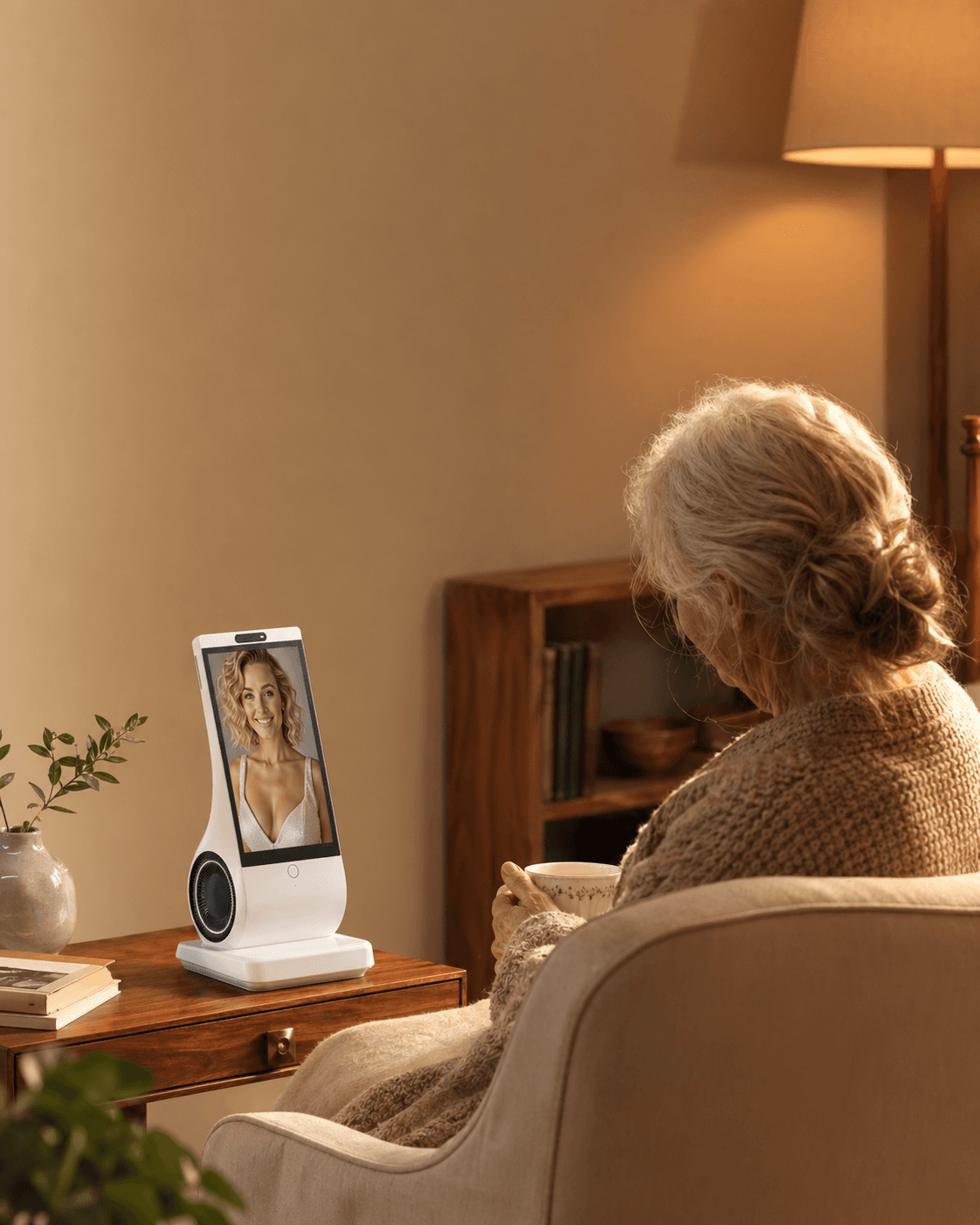
Yes—an AI companion can give an older parent optional conversation during quiet parts of the day, but it should not become the reason family calls, visits, or local support shrink. Start only if the parent wants it. Keep a fixed human-contact plan, give the parent control over when the device speaks and what it stores, and stop if it increases confusion, shame, withdrawal, or reliance in a crisis.
Reviewed and updated: August 4, 2026
The problem is not simply “too few conversations”
Picture an adult daughter living abroad. She loves her mother, knows the house feels quiet, and still dreads a nightly call that regularly stretches past an hour. Buying something that can talk all day may look like a clean solution. It is not, unless mother and daughter agree on what job the device is taking—and what job it is not taking.
Loneliness is the painful feeling of disconnection. Social isolation means having too few relationships or contacts. A device may make an empty afternoon feel less silent without adding a neighbor, friend, family member, ride to a community activity, or person who can notice a real change. The U.S. National Institute on Aging recommends maintaining contact through calls, messages, visits, community activities, and other forms of human connection. The WHO Commission on Social Connection likewise treats social connection as a health and community issue, not merely a shortage of conversation.
An AI companion is therefore best considered for a narrow role: voluntary conversation between human contacts. It is not a remote check-in service, caregiver, therapist, medical-alert system, or proof that someone is safe at home.
What the evidence can—and cannot—tell a family
There is a reasonable basis for cautious interest. A 2025 study in the Journal of Consumer Research found momentary reductions in loneliness after people used AI companions over one week, with feeling heard playing an important role. That does not prove that a purchased device will reduce an older parent’s long-term loneliness, improve health, or preserve family relationships.
Human conversation has its own evidence. In an NIA-funded trial, adults aged 75 and older had regular video conversations with trained people; the NIA summary reports promising but preliminary cognitive results. The active ingredient was structured human interaction—not the screen by itself.
These findings answer different questions. AI conversation may help someone feel heard in the moment. Human contact builds a relationship in which both people have needs, history, judgment, and the ability to act in the world. A family should not turn the first finding into permission to remove the second.
Keep three calendars with different responsibilities
The human calendar records agreed calls, visits, activities and local contacts. Make the arrangement sustainable for both parent and family, and do not silently reduce it because a device seems engaging. A chosen change in family routine is a discussion between people, not an automatic consequence of a purchase.
The companion calendar contains optional quiet-time conversation. The parent chooses whether to start, ignore or stop it. Record any help needed with controls or settings rather than converting agency into a four-point score.
The care calendar names the people or qualified services responsible for medication support, meals, welfare checks and emergencies. Those responsibilities remain independent of chat activity.
At review, ask what actually changed in each calendar and whether the parent still wants the arrangement. Address a missing responsibility or unwanted loss of human contact directly. No arithmetic total can supply consent or prove that care is covered.
Five things to agree before bringing one home
- Let the parent name the gap. “The afternoons are too quiet” is different from “I miss talking with you.” The second answer may call for a better family schedule before another product.
- Protect specific human contacts. Put two or three dependable calls, visits, or local activities on the calendar. Do not leave “we will call more” as a vague promise.
- Assign technical support. Decide who handles Wi-Fi, accounts, updates, charging, and failures. A product that creates repeated support calls may add strain rather than relieve it.
- Review privacy together. Check microphone controls, recordings, transcripts, memory, model-training choices, deletion, subscription changes, and household-guest privacy. The U.S. Federal Trade Commission offers a practical starting point for voice-assistant privacy.
- Write the stop conditions. Stop for distress, repeated confusion, sleep disruption, pressure to share private information, crisis reliance, or a noticeable drop in human contact.
Common mistakes—and a more honest correction
“If it eases my guilt, it must be helping my parent”
Caregiver strain is real. The AARP and National Alliance for Caregiving 2025 report documents the scale and intensity of family caregiving in the United States. But reduced guilt is not the same as improved life for the parent. Ask what the parent voluntarily uses and values.
“Older adults do not use AI”
That stereotype is too broad. AARP’s 2026 technology survey found growing AI use among adults 50-plus, alongside strong concerns about privacy, trust, data use, and usability. Test the actual person and actual device; age alone predicts neither acceptance nor refusal.
“Voice-first means no setup”
Daily conversation may need no typing, yet someone still has to connect Wi-Fi, create an account, choose privacy settings, position the device, and recover from outages. Count this hidden work before buying.
“A familiar face or voice is automatically comforting”
Some people may enjoy it; others may find it intrusive, confusing, or like an attempt to simulate a relative who is not present. Never upload another person’s face or voice without permission. Offer a neutral companion as a real alternative.
“One good week proves the arrangement works”
Novelty can carry a device through the first days. Review voluntary use, human contact, frustration, and privacy after four weeks, then again after three months.
When an AI companion is the wrong answer
Do not use a general companion device to cover gaps in hands-on care, emergency response, medication management, fall detection, wandering support, diagnosis, therapy, or crisis help. If an older adult has sudden confusion, major withdrawal, statements about self-harm, inability to manage daily needs, or a marked change in behavior, contact a qualified person or service rather than asking the companion to assess the situation.
It may also be the wrong purchase when the parent says no, cannot reliably hear or understand the interaction, feels watched, mistakes the system for a real person in a distressing way, or has no dependable help for setup and troubleshooting.
In the United States, the Eldercare Locator connects older adults and families with local services. For immediate danger, contact local emergency services. For mental-health crisis support in the United States, call or text 988; elsewhere, use the local crisis service.
Where EUVOLA may fit—and where it does not
EUVOLA is a dedicated, voice-first AI companion device for home conversation. After initial app and Wi-Fi setup, everyday use centers on speaking rather than navigating a text chat. It has no camera, requires Wi-Fi for conversation, and can use a personalized on-screen companion when the user has permission for the supplied photo and voice materials.
According to the current EUVOLA FAQ, family members cannot currently view conversations, receive conversation summaries, send family messages, or remotely manage the device; remote setup is planned but not available. EUVOLA also does not detect falls, call emergency services, confirm medication intake, notify family about missed medication, or replace care.
That makes it a possible fit when the parent personally wants recurring voice conversation in a consistent place and the family can support setup without reducing human contact. It is a poor fit when the buyer primarily wants monitoring, reassurance, fewer obligations, offline operation, or proof that a parent is safe.
Frequently asked questions
Can an AI companion replace my daily phone call to an older parent?
It should not be treated as a replacement. A family can change an exhausting daily-call pattern, but the new plan should still include dependable human contact chosen with the parent. The companion belongs in quiet gaps, not in the place of the relationship.
What if my parent says they do not want an AI companion?
Accept the answer. Ask what they would prefer: shorter calls, scheduled video chats, a shared photo routine, a local activity, a robotic pet, a simpler phone, or no new device. Consent is a continuing condition, not a setup checkbox.
Can a personalized version of my face or voice make my parent feel closer to me?
Possibly, but it can also feel unsettling or deceptive. Discuss it first and compare it with a neutral companion. A generated likeness is not a live family call, and the parent should always know that it is synthetic.
Is a voice-first device easier for an older adult than an app?
It can reduce reading, typing, and menu navigation during daily use. It does not remove Wi-Fi, account, privacy, charging, update, hearing, accent, or troubleshooting requirements. Test ordinary speech in the actual home.
Can the device tell me whether my parent is safe?
Not unless the product documents a specific, qualified safety service. EUVOLA does not provide fall detection, emergency calling, medication confirmation, family alerts, or conversation monitoring. Use a separate care or emergency system.
Could an AI companion help with caregiver burnout?
It may give the parent an additional voluntary activity, but it is not respite care and cannot take responsibility for care tasks. Caregiver burnout needs human relief, shared duties, services, boundaries, and sometimes professional support.
How often should we review whether the arrangement still works?
Review after four weeks and three months, then whenever health, hearing, cognition, family availability, software, pricing, or privacy terms change. Recheck the human-contact floor and all three calendars.
What should we do if loneliness persists or gets worse?
Talk with the parent about the kind of connection they are missing and involve a health professional or local aging service when loneliness is persistent or accompanied by withdrawal, distress, or changes in daily functioning. Do not increase AI use as the only response.
Sources and further reading
- National Institute on Aging: Loneliness and Social Isolation—Tips for Staying Connected
- WHO Commission on Social Connection: From Loneliness to Social Connection
- Journal of Consumer Research: AI Companions Reduce Loneliness
- National Institute on Aging: Online Conversations Show Potential Cognitive Benefit
- AARP and National Alliance for Caregiving: Caregiving in the US 2025
- AARP Research: 2026 Tech Trends and Adults 50-Plus
- Federal Trade Commission: Secure Your Voice Assistant and Protect Your Privacy
- Administration for Community Living: Eldercare Locator
- EUVOLA FAQ