
Back to all guides

Choosing & Living With AI

Can an AI Companion Help an Older Parent Who Cannot Read or Type?

A practical accessibility test for deciding whether a voice-first AI companion can help an older parent who cannot comfortably read or type—without replacing people or care.

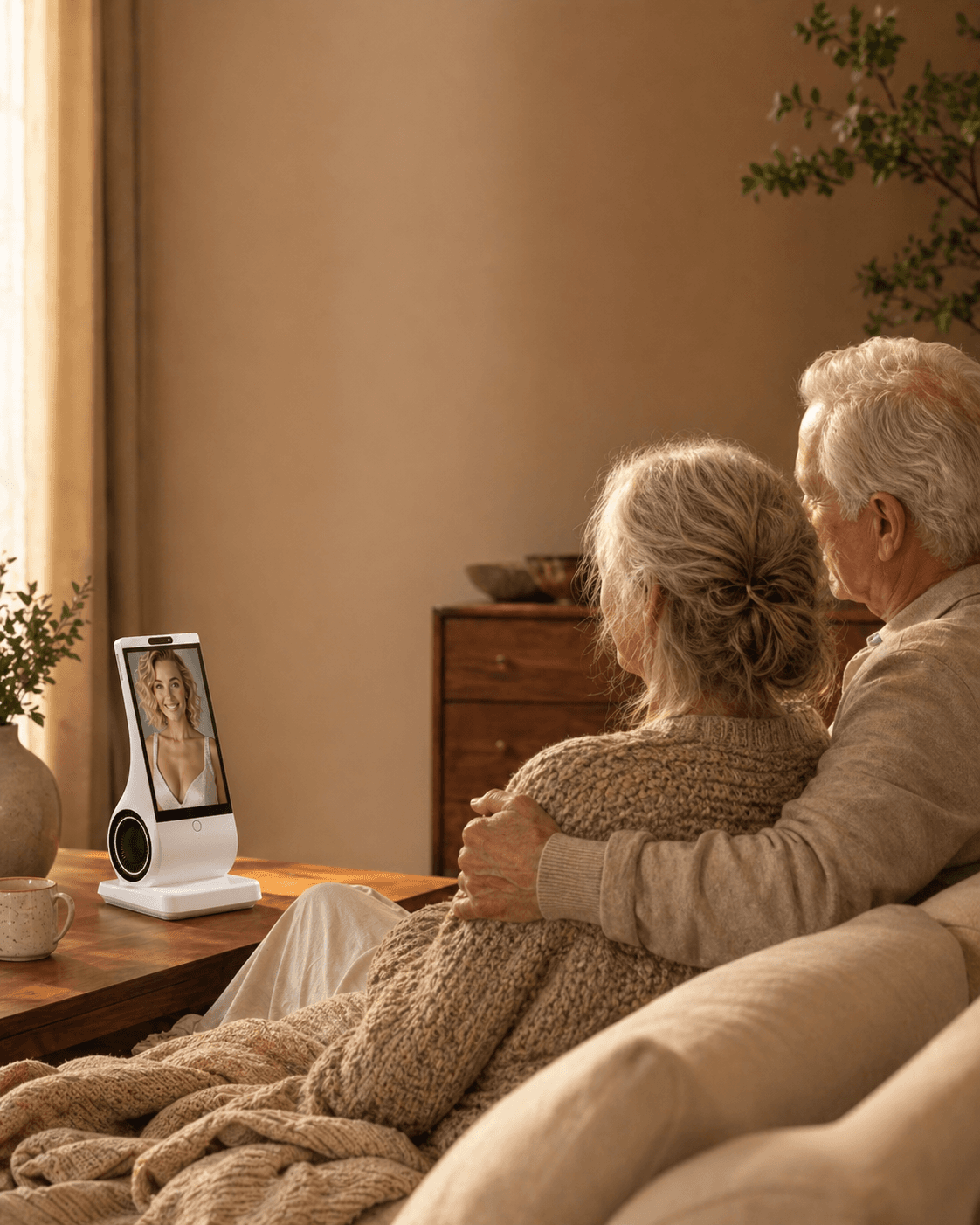
Older parent speaking with a voice-first EUVOLA companion device at home

An AI companion may reduce reading and typing, but it is not automatically accessible. The parent still needs a way to hear or see replies, correct mistakes, mute the microphone, recover from an outage, and get human help without surrendering private conversations. Test the device in the real home with the parent’s voice, hearing, language, dexterity, and consent. If it fails those ordinary moments, a simpler phone, hearing support, scheduled human contact, or no new device may be the better answer.

Reviewed and updated: August 18, 2026

Start With the Need, Not the Device

“Keeping someone company” can mean several different things. A parent may want more calls with people they already love. They may want music and a friendly voice in a quiet kitchen. They may miss caring for a pet but no longer be able to manage feeding and walking. They may want longer, open-ended conversation. Or they may need practical care, safety monitoring, or medical help—which is a different category entirely.

The distinction matters because loneliness and social isolation are related but not identical. The U.S. National Institute on Aging defines loneliness as the distressing feeling of being alone or separated, while social isolation means having few contacts and little regular interaction. A conversational device may make a room feel less quiet without adding a single human relationship. A video-calling device may strengthen existing relationships without addressing a person’s wish for spontaneous daily conversation.

Before shopping, finish this sentence with your parent:

“I would like this device to make it easier to \_\_.”

If the answer is “talk to family,” start with video calling. If it is “use technology without typing,” start with voice. If it is “have something comforting to hold,” consider a robotic pet. If it is “have regular conversation at home,” compare dedicated companion devices. If the answer involves falls, medication verification, wandering, diagnosis, crisis support, or emergency response, look for a qualified care or safety service instead of a general companion.

Which Type of Device Fits Which Situation?

What your parent actually wantsBest starting categoryMain strengthImportant limitation
More face-to-face contact with familySimple tablet or smart display for video callsConnects them with real people they knowFamily still has to call; menus and updates may confuse some users
Music, weather, timers, and brief spoken helpSmart speakerHands-free and familiar for simple requestsUsually reactive and command-based, not sustained companionship
Comfort through touch with almost no setupRobotic pet or responsive plush companionPredictable, tactile, and lower demand than a live animalLimited conversation; may feel childish or artificial to some people
Open-ended daily conversation in a consistent placeDedicated voice-first companion deviceCreates a visible, repeatable home routine without requiring a phoneRequires trust in voice-data handling, reliable internet, and clear service limits
Portable chat throughout the dayCompanion app on a phone or tabletLow upfront cost and easy to tryRequires opening an app, managing notifications, and often reading or typing
Human check-ins, personal care, or emergency responseFamily schedule, community service, caregiver, or monitored alert systemAddresses real care and safety needsNot the same product category as an AI companion

This table is a starting point, not a ranking. A systematic umbrella review of technology interventions for older adults found that general information and communication tools—especially technologies that maintain existing ties—have a stronger evidence base than newer robots and conversational agents, which remain promising but underexplored. The review also found that outcomes depend on how often and how long people use the technology. See the peer-reviewed umbrella review for the evidence boundaries.

The practical conclusion is modest: use technology to support a social plan, not to become the whole plan.

A Five-Part Decision Framework

1. Put human connection first when human connection is the gap

If your parent says, “I miss seeing you,” the answer is not necessarily an AI companion. A one-tap video-call setup, a standing family call, or a shared photo display may be a better first intervention. An NIA-funded trial used scheduled video conversations with trained people; it is a useful reminder that the active ingredient was the human conversation, not merely the screen. The NIA summary of the I-CONECT study describes the approach and its limits.

Ask the family a harder question before buying hardware: can we make one additional dependable contact each week? A device can reduce friction, but it cannot supply commitment.

2. Match the interface to hearing, vision, dexterity, memory, and confidence

Voice can reduce typing and menu navigation, but “voice-first” does not automatically mean effortless. In a qualitative study of adults aged 74 and older trying a smart speaker, initial reactions were positive, yet participants later struggled with how to phrase commands and raised privacy, security, and cost concerns. Read the peer-reviewed first-use study.

Test the actual interaction with the intended user:

  • Can they hear it at a comfortable volume?
  • Can it understand their accent and normal speaking pace?
  • Does it recover gracefully when they pause or use an unexpected phrase?
  • Are buttons, mute controls, and text large enough to understand?
  • Can they start and stop an interaction without remembering a long sequence?

Do not buy a device because it feels easy to you. Watch your parent use it without coaching.

3. Decide whether the device should wait or initiate

Smart speakers and apps often wait for a wake word, tap, or open screen. That is suitable for someone who remembers the device and enjoys asking for things. It is a poor fit if the person forgets that the device exists or becomes frustrated by command syntax.

Proactive prompts can make a companion easier to use, but they also introduce consent and privacy questions. Ask whether prompts can be scheduled, silenced, or limited to certain hours. A gentle morning greeting may feel welcoming; an unpredictable voice in a quiet room may feel intrusive or startling.

The right question is not “Is proactive better?” It is “Can my parent control when and how it speaks?”

4. Separate companionship from care and surveillance

A device may converse, play music, display photos, or issue reminders. Those capabilities do not prove that it can detect a fall, confirm medication was taken, recognize a medical emergency, contact family, or call emergency services.

Write two lists before buying:

Companion functionsCare or safety functions
Conversation, music, stories, games, photos, routine promptsPersonal care, medication administration, fall response, clinical judgment, emergency contact

If a safety function matters, require the vendor to document exactly what triggers it, who receives the alert, what happens during an outage, and whether the service is monitored. If the vendor cannot answer, assume the function is unavailable.

For persistent loneliness, withdrawal, depression, cognitive changes, or difficulty with daily tasks, involve a health professional or local aging service. The National Institute on Aging’s guidance recommends discussing ongoing loneliness or isolation with a health professional and points families toward community support.

5. Audit privacy, cost, and continuity before attachment forms

Voice devices may send recordings to company servers and may activate after mishearing a wake word. The U.S. Federal Trade Commission’s voice-assistant privacy guide advises users to understand when a device listens, review audio-handling policies, delete old recordings, secure the account, and limit connected services.

For any companion device, get clear answers to these questions:

  • Is there a visible or physical microphone-off control?
  • What audio, transcripts, photos, and long-term memories are stored?
  • Are those materials used for model training, and can the user opt out?
  • Can the user inspect and delete memories, recordings, and the account?
  • Can household visitors tell when the device is listening?
  • What requires a subscription, and what stops working when it ends?
  • What happens if the company changes the product or closes the service?

Do not upload a relative’s face, voice, messages, or private history without permission. An adult child paying for a device does not automatically gain ethical permission to monitor, review, or reuse a parent’s personal data.

A Practical Two-Week Home Trial

If returns are allowed, treat the first two weeks as a fit test rather than a promise that the device will reduce loneliness.

Before day one

  1. Agree on one primary job, such as “make family video calls easier” or “provide a conversational routine after dinner.”
  2. Record the privacy settings together and show the mute or power control.
  3. Choose a stable location with power, Wi-Fi, comfortable sound, and no trip hazard.
  4. Keep the existing family-call and care schedule unchanged.
  5. Decide what would make you stop: distress, confusion, sleep disruption, privacy discomfort, repeated errors, or avoidance of people.

During the trial

Use a simple log, not a clinical score:

ObserveUseful signWarning sign
Voluntary useParent chooses to use it without pressureFamily repeatedly has to persuade or operate it
Mood after useCalmer, interested, or ready to contact someoneMore agitated, ashamed, confused, or withdrawn
Human contactDevice makes calls or shared activities easierDevice replaces planned calls or visits
Interaction burdenMost attempts work in ordinary speechRepeated failures create frustration
BoundariesParent uses mute, schedule, and privacy controls confidentlyParent does not understand when it listens or what it stores

On day 14, ask the parent three questions: “Would you notice if this disappeared? What did it make easier? What did it make worse?” Keep it only if the answers support their goals.

Common Mistakes and Better Corrections

Correction: Present two or three categories, let the parent try them, and accept “no.” A device imposed by an adult child can feel like surveillance, infantilization, or evidence that family contact is being outsourced.

Mistake: Treating loneliness as simply “not enough noise”

Correction: Ask whether the gap is intimacy, community, purpose, transportation, bereavement, hearing access, or daily conversation. Different causes need different responses.

Mistake: Choosing the longest feature list

Correction: Prefer fewer functions that work reliably. Every app, account, notification, cable, wake word, and update adds a point of failure.

Mistake: Assuming a reminder is a safety system

Correction: A reminder can speak at a set time. It may not know whether anyone heard it, understood it, or acted. Use a verified care workflow for medication and safety needs.

Mistake: Assuming voice interaction is private because there is no camera

Correction: Camera-free design reduces one category of collection, but microphone, transcript, account, memory, and cloud-processing questions remain.

Mistake: Measuring success by how human the device seems

Correction: Measure whether it respects limits, works reliably, supports the parent’s agency, and strengthens rather than displaces human contact.

When a Companion Device Is Not the Right Choice

Do not rely on a general companion device when your parent needs emergency response, fall detection, wandering support, medication administration, clinical assessment, or hands-on care. Do not introduce a conversational or robotic device during acute confusion, psychosis, severe distress, or a crisis without qualified guidance.

Pause or remove the device if it:

  • makes the parent feel watched, frightened, deceived, or ashamed
  • is repeatedly mistaken for a real person or living animal in a distressing way
  • disrupts sleep or creates unsafe movement around the home
  • encourages secrecy, exclusivity, spending, or dependence
  • becomes a reason for relatives to call or visit less
  • produces medical, financial, or emergency advice the user may trust

Technology is also a poor substitute for fixing a hearing problem, arranging transportation, creating accessible social opportunities, or making a home safer. Sometimes the best “device” purchase is a hearing assessment, a simpler phone, a reliable internet connection, or nothing at all.

The first question is not “Can it speak?”

It is easy to confuse a voice interface with an accessible companion. A parent may be able to talk but not read a long screen. Another may read large print but tire quickly when a keyboard, password, or app update appears. Someone with arthritis may understand every instruction and still be unable to tap a small icon. A person with hearing loss may prefer text, captions, or a hearing loop even though typing is difficult. “Voice-first” describes one input channel; it does not describe the whole experience.

For this question, separate four jobs: starting a conversation, understanding the response, correcting an error, and controlling the device. A product can succeed at the first and fail at the other three. If a parent cannot read a confirmation, they may not know whether the companion heard a request. If they cannot reach a mute button, they cannot control privacy. If a wrong answer cannot be corrected without an app, the family has quietly become technical support.

The W3C Web Content Accessibility Guidelines 2.2 treats alternative input such as voice as part of accessibility, while also stressing that one mode does not solve every need. The National Institute on Deafness and Other Communication Disorders notes that age-related hearing loss can make ordinary conversations, warnings, doorbells, and phones harder to hear. An accessible companion therefore needs more than speech recognition: it needs clear output, recovery options, visible controls, and a human setup path.

Match the interface to the actual barrier

What makes technology difficultWhat may helpWhat can still go wrong
Reading small or dense textSpoken responses, large controls, audio confirmationSpeech may be too fast, vague, or hard to hear
Typing, tapping, or using a mouseVoice input, one-touch controls, physical buttonsRecognition errors, accidental activation, no way to correct
Hearing speechCaptions, adjustable volume, headphones or hearing-loop compatibility, short turnsCaptions may be absent; louder is not always clearer
Speech affected by accent, aphasia, or low volumePatient turn-taking, language choice, confirmation promptsThe system may misrecognize names, numbers, or medication terms
Memory or attention changesPredictable routines, one-step commands, consistent feedbackProactive prompts may confuse, startle, or create false confidence
Limited confidence with accountsCaregiver-assisted setup with consent, printed or audio instructionsRemote access can become surveillance or a single point of failure

Do not grade the parent against an imagined “normal user.” Grade the product against the parent’s real environment: kitchen noise, television in the next room, dentures, an accent, a soft voice, a preferred language, and the time it takes to form a sentence. A lab demonstration in a quiet room says little about a device beside a kettle.

Voice-first is not voice-only

A voice-first companion should let a person do the common path without typing, but the exception path still matters. Ask the vendor or run a trial for these moments:

  1. The parent starts speaking too early. Does the system wait, interrupt, or abandon the turn?
  2. The parent uses a different word. Can they say “stop talking” instead of remembering a wake phrase?
  3. The answer is misunderstood. Can the system repeat slowly, summarize, or offer another format?
  4. The parent wants to stop listening. Is mute or power control obvious and immediate?
  5. The device gets something wrong. Can the parent say “that is not right” and repair the memory without opening a phone?
  6. The network fails. Does it explain the outage plainly, rather than pretending to hear?
  7. A visitor is present. Can the household tell when audio is being processed and what is retained?

A product that handles these exceptions is easier to trust than one that performs a perfect first demo. The scoping review of personal voice assistants in older adults found that research has concentrated on usability and acceptance, with common uses such as reminders, information, and weather. It also concluded that evidence for improving health management or ageing in place remains limited. That is a useful warning against turning “easy to ask” into “safe to rely on.”

A 12-point home fit test

Give one point for each statement that is true after the parent tries the device in the real room. Do not award a point because a sales page says the feature exists.

  • The parent can start a conversation without reading a menu.
  • The parent can hear or otherwise access the response comfortably.
  • The system tolerates pauses and ordinary speech.
  • It understands the parent’s preferred language or dialect well enough for the intended use.
  • The parent can stop, mute, or power down the device.
  • A wrong answer can be challenged in plain language.
  • The device explains when it is offline or uncertain.
  • The parent can use the core function without a phone, password, or app update.
  • A family member can repair ordinary setup problems without taking over private conversations.
  • The parent understands what audio, transcripts, photos, and memories are stored.
  • The household has a human plan for medical, financial, or emergency questions.
  • Use of the device leaves scheduled human contact unchanged or stronger.

0–4 points: do not buy yet; solve the accessibility or human-support gap first. 5–8: trial only with a clear return path and a named helper. 9–10: plausible fit for a bounded companionship routine. 11–12: strong interaction fit, but still not evidence of medical or safety capability.

The seven-day trial that catches most failures

Day 1: consent and baseline. Ask the parent what they want easier and what would make the device feel intrusive. Keep the family call schedule, social activities, and care routine unchanged. Record the exact privacy controls you enabled.

Day 2: ordinary speech. Try a greeting, a question, a story, a correction, and a request to stop. Use the parent’s real accent and volume. Do not coach every phrase; coaching hides the burden the product will create later.

Day 3: noisy room. Repeat the test with television, dishes, or another person talking. Test the location where the device would actually live. If the parent must shout, move closer, or repeat every sentence, count that as a failed fit rather than a character flaw.

Day 4: error recovery. Intentionally give an ambiguous request and one wrong fact. See whether the companion acknowledges uncertainty, asks a clarifying question, and accepts correction. A confident wrong answer is a safety signal to slow down.

Day 5: control and privacy. Have the parent mute the microphone, end a session, and explain in their own words what is stored. If only the purchaser can perform these actions, decide whether that power is acceptable and documented.

Day 6: no-phone test. Remove the phone from the room. Can the parent still perform the primary job? If the answer is no, the product may be a phone app with a friendly voice rather than a genuinely accessible home companion.

Day 7: human-contact check. Ask whether calls, visits, hobbies, meals, or community activities changed. Keep the device only if it supports the parent’s stated goal without shrinking the rest of life.

When a simpler tool is better

A one-button phone may beat a sophisticated companion when the main need is reaching family. A large-print clock, talking timer, or radio may beat an AI system when the goal is orientation or comfort. A hearing assessment or assistive listening device may help more than increasing a speaker’s volume. A community visitor, senior center, faith group, transport service, or paid helper may address isolation more directly than any device.

If a parent cannot read or type because of a temporary injury, choose reversible accommodations and reassess. If the barrier comes from a progressive cognitive condition, involve the care team and watch for confusion. If the parent speaks very little, has significant aphasia, or becomes distressed when the device fails, do not treat a voice product as an accessibility solution simply because it has a microphone.

What the purchaser should document

Families often write down Wi-Fi passwords but not boundaries. Create a one-page agreement in plain language:

  • The companion is for conversation, information, and agreed routines—not diagnosis, emergency dispatch, medication verification, or financial authorization.
  • The parent may mute, unplug, pause, or reject the device without explaining why.
  • The purchaser will not read conversations or inspect usage unless the parent has expressly agreed to a named access method.
  • A failed answer goes to a person or official source, not to a second AI for a louder guess.
  • The family keeps a real call or visit schedule even when the companion is used daily.
  • The trial ends if the parent feels watched, confused, pressured, or less connected to people.

This agreement protects dignity as much as privacy. It also makes it easier to stop a product that is technically impressive but socially wrong.

Five targeted FAQs

Can a voice-first AI companion replace reading and typing entirely?

No. It may remove much of the daily input burden, but setup, consent, account recovery, privacy review, corrections, and some outputs may still require text, a caregiver, captions, or another accessible format. Test the entire lifecycle, not only the first conversation.

Is voice-first suitable for a parent with hearing loss?

Not automatically. Speech recognition and speech output solve different problems. Test volume, clarity, pacing, captions or visual confirmation, hearing-aid compatibility, and whether the parent can ask for repetition. If hearing remains difficult, a companion may be the wrong tool.

What if my parent cannot say the wake word reliably?

Look for a physical button, a simpler activation phrase, or a device that supports a predictable routine. Do not choose a product that requires a precise phrase the parent cannot remember. An always-listening mode also raises privacy questions and should be an explicit, informed choice.

Should an adult child set up the device remotely?

Only with the parent’s knowledge and least-privilege consent. Remote support can solve updates and Wi-Fi problems, but it should not silently expose transcripts, activity summaries, microphones, or cameras. Write down what the helper can access and review it together.

Is a dedicated device better than an app for someone who cannot type?

It can be, because a fixed location and visible object remove app-navigation steps. It is not automatically better: the device still needs power, network access, clear controls, and a service that recognizes the parent’s speech. Compare the complete routine, including failures and cancellation.

Sources for this decision

Where EUVOLA Fits—and Where It Does Not

EUVOLA is a dedicated, voice-first AI companion device for the home. It is designed for daily conversation through a visible companion rather than as a text-first phone app. The device has no camera, and a companion can be personalized from a photo and short voice sample that the user is authorized to provide. These traits make it relevant when the goal is a consistent conversational presence with less typing and no camera in the room.

EUVOLA is not a caregiver, medical device, fall detector, monitoring camera, crisis service, or emergency-calling system. It should not be selected for those jobs. It also requires Wi-Fi for chatting and service access, so it is not a dependable offline safety tool.

Before choosing EUVOLA for a parent, review the current official FAQ, privacy policy, return policy, and order information together. The parent should decide whether a personalized face or voice feels warm, neutral, or uncomfortable; personalization is optional in an ethical sense even when a product supports it.

FAQ

What is the best smart device for a lonely elderly parent?

There is no universal best device. Start with the missing connection: use simple video calling for more family contact, a smart speaker for brief hands-free help, a robotic pet for tactile comfort, or a dedicated voice companion for regular conversation. If the need is care or emergency response, choose a qualified care or alert service instead.

Is a smart speaker enough to provide companionship?

A smart speaker can add music, information, games, timers, and brief exchanges. It may make routines easier, but most interactions are command-based. It should not be assumed to provide sustained emotional companionship or to reduce loneliness on its own.

Are AI companions proven to reduce loneliness in older adults?

The evidence is promising but not definitive. Reviews find benefits in some technology interventions, especially for maintaining social connections, while conversational agents and robots remain less studied and results vary by duration, design, and user. Avoid any product that guarantees a health outcome.

What if my parent has dementia or memory loss?

Involve a clinician or care team and test cautiously. A simple, predictable device may be easier than an app, but proactive speech, lifelike behavior, or complex controls can also confuse or distress someone. A general companion cannot replace dementia care, wandering safeguards, medication support, or emergency systems.

Should I choose a device with a camera?

Choose a camera when the benefit—such as video calls—clearly matters and your parent consents to where and when it operates. For conversational companionship, a no-camera device removes visual recording but does not remove voice, account, memory, or cloud privacy questions.

Can I set up and monitor the device remotely for my parent?

Only if the product explicitly supports it and your parent knowingly agrees. Remote setup can reduce technical burden, but conversation access, activity reports, cameras, microphones, and family dashboards can become surveillance. Use the least access needed and review permissions together.

How do I know whether my parent actually likes the device?

Look for voluntary use, relaxed behavior, fewer interaction failures, and stable or increased human contact. Ask directly what became easier and what became worse. Do not use message counts or minutes of conversation as proof of well-being.

Can a companion device replace family visits or a caregiver?

No. It can fill quiet moments, support a routine, or reduce friction in communication. It cannot provide the reciprocity, judgment, physical help, accountability, and duty of care that people and professional services provide.

Sources and Further Reading

Additional accessibility sources

Accessibility is not the same as making a person easier to monitor. A parent who cannot type may still be perfectly able to decide what a device should hear, remember, and forget. Do not use a reading or dexterity barrier as a reason to turn on transcripts, mood reports, or family dashboards. The helper should explain the choice in the parent’s preferred format and accept a refusal. A device that is technically reachable but socially imposed is not an accessible device.

When the product works, it should reduce small frictions: starting a conversation, asking for repetition, hearing a short answer, and stopping without a phone. It should not create new friction around billing, privacy, account recovery, or family permission. Write down who owns each task and test the handoff. If the parent needs a person for every ordinary correction, the product has not solved the original problem; it has moved the problem to a different person.

A final decision rule

Keep the device only when the parent chooses it, can control it, can recover from ordinary errors, and remains connected to people. Return it when the household must pretend it is more capable than it is. The goal is not to prove that AI can be a friend. The goal is to give one older adult a workable, voluntary way to make a daily moment easier.

Continue reading

Considering EUVOLA?

See the product details before you choose.

View FAQs