
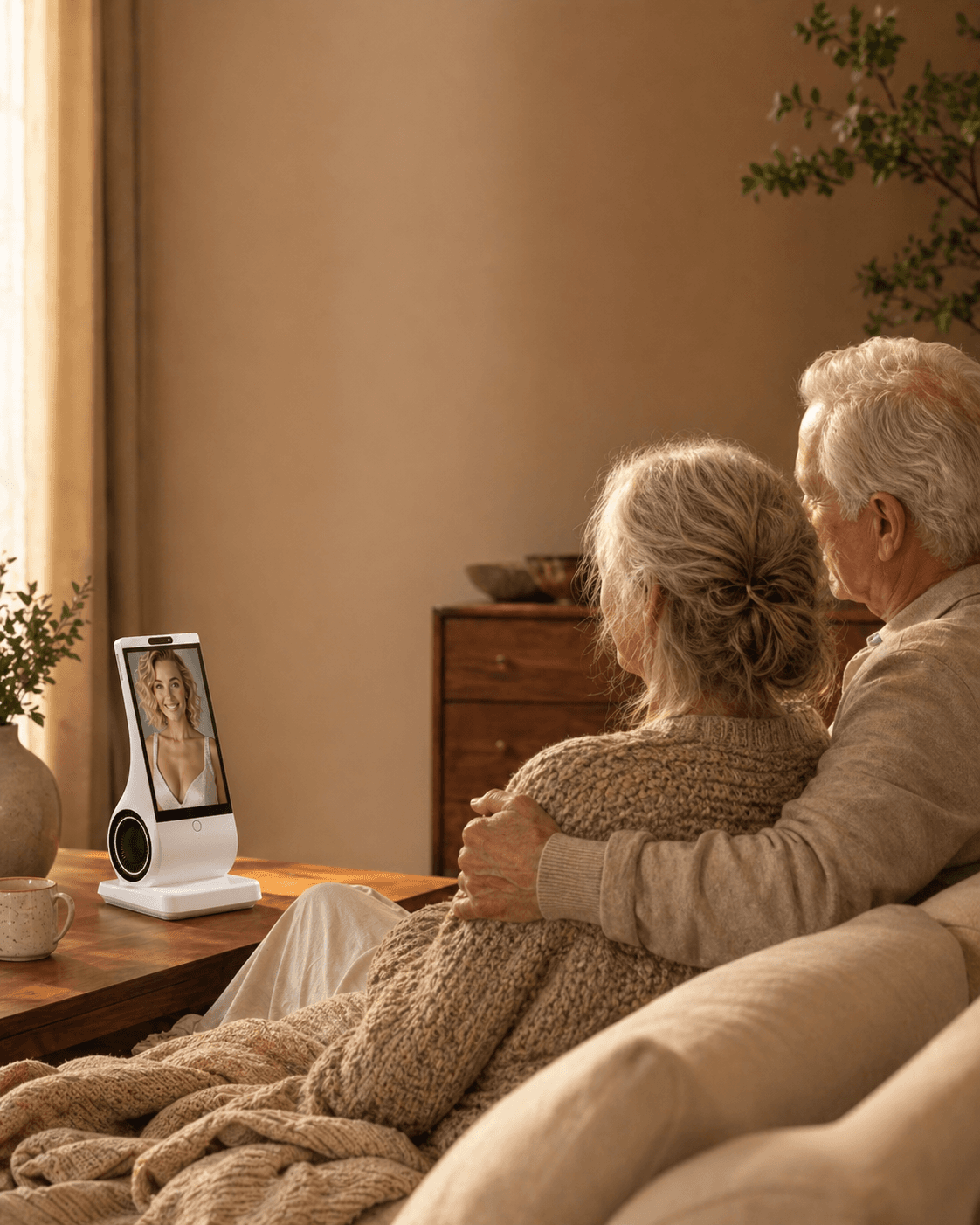
AIコンパニオンは読書や入力の負担を減らせる可能性がありますが、自動的にアクセシブルになるわけではありません。親は返答を聞く・見る、誤りを直す、マイクを切る、通信障害から戻る、私的な会話を渡さず人の助けを得る必要があります。実際の家で、親の声、聴力、言語、手の動き、同意を使って試してください。難しい場合は、より簡単な電話、聴覚支援、定期的な人との連絡、または何も買わない選択が適切です。
Reviewed and updated: August 18, 2026
機器より先に、必要なことを決める
「話し相手がほしい」には複数の意味があります。家族の顔をもっと見たい人、静かな部屋で音楽や短い応答がほしい人、動物を飼えなくても触れる安らぎがほしい人、毎日まとまった会話をしたい人では、合う製品が違います。転倒、服薬確認、徘徊、診断、危機対応が目的なら、一般向けコンパニオンではなく専門のケアや安全サービスが必要です。
米国国立老化研究所は、孤独感を「一人または切り離されていると感じるつらさ」、社会的孤立を「接触や定期的交流が少ない状態」と区別しています。会話機器は部屋の静けさを和らげても人間関係を増やすとは限らず、ビデオ通話は既存の関係を支えても自発的な日常会話を満たさない場合があります。
購入前に親と一緒に「この機器で、__をもっと簡単にしたい」と一文にしてください。家族との会話ならビデオ通話、文字入力が難しいなら音声、触覚的な安心ならロボットペット、家での定期的な会話なら専用機器から検討します。
どの状況に、どの種類が合うか
| 親が本当に望むこと | 最初に検討する種類 | 主な強み | 大切な限界 |
|---|---|---|---|
| 家族と顔を見て話す機会を増やす | 簡単なタブレットやスマートディスプレイ | 知っている人と直接つながる | 家族側も連絡が必要で、更新やメニューが難しいことがある |
| 音楽、天気、タイマー、短い音声支援 | スマートスピーカー | 手を使わず簡単な依頼ができる | 多くは命令待ちで、長い会話向けではない |
| ほぼ設定せず触れて落ち着きたい | ロボットペットや反応するぬいぐるみ | 予測しやすく、生きた動物より世話が少ない | 会話は限られ、幼く感じる人もいる |
| 決まった場所で日常会話をしたい | 音声中心の専用コンパニオン | スマホを開かず、家で習慣を作れる | 音声データ、ネット接続、サービス継続の確認が必要 |
| 一日中持ち歩いて会話したい | スマホやタブレットのアプリ | 初期費用が低く試しやすい | アプリを開き、通知や文字を扱う必要がある |
| 人による安否確認、身体介助、緊急対応 | 家族の予定、地域サービス、介護者、監視型警報 | 実際のケアと安全を扱う | AIコンパニオンとは別の分野 |
高齢者向け技術のシステマティック・アンブレラレビューでは、既存の人間関係を維持する一般的な情報通信技術は比較的根拠が多く、ロボットや対話エージェントは有望でも研究がまだ少ないと整理されています。技術は社会的な計画を支える道具であり、計画そのものにはできません。
5つの判断軸
1. 足りないのが人とのつながりなら、人を優先する
親が「もっと家族の顔を見たい」と言うなら、一操作のビデオ通話や定期的な家族通話が先です。NIAが紹介するI-CONECT研究でも、重要なのは画面ではなく、訓練を受けた人との予定された会話でした。機器を買う前に、家族が週に一度でも確実な接触を増やせるかを確認してください。
2. 聴力、視力、手指、記憶、自信に合わせる
音声は入力を減らしますが、必ず簡単とは限りません。74歳以上の初回利用を調べた査読研究では、第一印象は良くても、命令の言い方、プライバシー、セキュリティ、費用が障壁になりました。
- 無理のない音量で聞こえるか
- 普段のアクセントや速度を認識するか
- 言い直しや間に対応できるか
- ミュートや電源が分かりやすいか
- 長い手順なしに開始・終了できるか
若い家族が簡単だと思うだけでは不十分です。親に説明なしで試してもらいます。
3. 待つ機器か、先に話す機器かを決める
スマートスピーカーやアプリは、呼びかけ、タップ、画面を待つことが多いものです。存在を忘れたり、命令文に迷ったりする人には使われなくなります。能動的な挨拶は助けになる一方、突然の声は侵入的または不安に感じられます。時刻設定、消音、話しかける時間帯の制限を親が管理できるかを確認します。
4. コンパニオン、介護、監視を分ける
会話、音楽、写真、リマインダーがあっても、転倒検知、服薬確認、医療判断、家族通知、救急通報ができる証拠にはなりません。
| コンパニオン機能 | ケア・安全機能 |
|---|---|
| 会話、音楽、物語、ゲーム、写真、日課の通知 | 身体介助、投薬、転倒対応、臨床判断、緊急連絡 |
安全機能が必要なら、何が作動条件か、誰に届くか、停電・断線時はどうなるか、監視員がいるかを文書で確認します。説明できない機能は「ない」と判断します。孤独、抑うつ、認知変化、日常動作の困難が続く場合は、医療者や地域の高齢者支援へ相談してください。NIAの案内も継続する孤独や孤立を専門家に伝えるよう勧めています。
5. 愛着が生まれる前に、プライバシー、費用、継続性を調べる
音声機器は録音を事業者のサーバーへ送り、誤って起動することがあります。米連邦取引委員会のガイドは、聞いている状態、音声の扱い、削除、アカウント保護、接続サービスの制限を確認するよう勧めています。
- 物理的または明確なマイクオフがあるか
- 音声、文字化、写真、長期記憶を何のために保存するか
- 学習利用を拒否できるか
- 記憶、録音、アカウントを削除できるか
- 来客にも作動中だと分かるか
- サブスクリプション終了後に何が残るか
- 会社やサービスが終了したらどうなるか
親族の顔、声、メッセージ、私生活は本人の許可なくアップロードしません。子が代金を払っても、監視や会話閲覧の同意を得たことにはなりません。
2週間の家庭トライアル
返品できるなら、最初の2週間を「孤独が治る証明」ではなく適合確認にします。
開始前
- 「家族とのビデオ通話を簡単にする」など主目的を一つにする。
- プライバシー設定とミュート・電源を一緒に確認する。
- 電源、Wi‑Fi、音量、転倒リスクを考えて場所を決める。
- 家族通話や訪問、介護予定は減らさない。
- 不安、混乱、睡眠妨害、誤作動、対人回避を中止条件にする。
試用中
| 観察点 | よい兆候 | 注意すべき兆候 |
|---|---|---|
| 自発的な利用 | 圧力なしに親が選んで使う | 家族が毎回説得・操作する |
| 利用後の様子 | 落ち着く、興味を示す、人に連絡する | 混乱、羞恥、不安、引きこもりが増す |
| 人との接触 | 通話や共同活動がしやすくなる | 訪問や予定された通話を置き換える |
| 操作負担 | 普通の話し方で多くが成功する | 失敗が繰り返され自信を失う |
| 境界の理解 | ミュート、時間、設定を使える | いつ聞き、何を保存するか分からない |
14日目に「なくなったら気づくか」「何が楽になったか」「何が悪くなったか」を親に聞き、本人の目的を支えた場合だけ残します。
よくある誤りと修正
誤り:本人の同意なしに「高齢者向け」を買う
修正: 2、3種類を試してもらい、「いらない」も尊重します。押しつけは監視や子ども扱い、家族関係の外注に感じられます。
誤り:孤独を「音が足りない」と考える
修正: 親密さ、地域、目的、交通、死別、聴力、会話のどれが不足しているかを分けます。
誤り:機能数で選ぶ
修正: 少数でも確実な機能を優先します。アプリ、通知、ケーブル、呼びかけ語、更新はすべて失敗点です。
誤り:リマインダーを安全装置と考える
修正: 通知は聞いたか、理解したか、実行したかを保証しません。服薬や安全には検証されたケア手順が必要です。
誤り:カメラがなければ完全に私的だと思う
修正: 映像収集は減りますが、マイク、文字化、アカウント、記憶、クラウド処理は残ります。
誤り:人間らしさを成功指標にする
修正: 境界、信頼性、本人の主体性、人との接触を支えたかで判断します。
コンパニオン機器が適さない場合
緊急対応、転倒検知、徘徊支援、投薬、臨床評価、身体介助が必要なら一般向け機器に頼れません。急な混乱、妄想、強い苦痛、危機の最中も、専門家の助言なく導入しません。
- 見張られている、怖い、だまされた、恥ずかしいと感じる
- 実在の人や動物と誤認して苦しむ
- 睡眠や安全な移動を妨げる
- 秘密、排他性、支出、依存を促す
- 家族が連絡や訪問を減らす理由になる
- 医療、金融、緊急助言を信じてしまう
聴力支援、交通、参加できる社会活動、住宅安全、簡単な電話、安定した回線の方が役立つこともあります。何も買わないことも正しい選択です。
The first question is not “Can it speak?”
It is easy to confuse a voice interface with an accessible companion. A parent may be able to talk but not read a long screen. Another may read large print but tire quickly when a keyboard, password, or app update appears. Someone with arthritis may understand every instruction and still be unable to tap a small icon. A person with hearing loss may prefer text, captions, or a hearing loop even though typing is difficult. “Voice-first” describes one input channel; it does not describe the whole experience.
For this question, separate four jobs: starting a conversation, understanding the response, correcting an error, and controlling the device. A product can succeed at the first and fail at the other three. If a parent cannot read a confirmation, they may not know whether the companion heard a request. If they cannot reach a mute button, they cannot control privacy. If a wrong answer cannot be corrected without an app, the family has quietly become technical support.
The W3C Web Content Accessibility Guidelines 2.2 treats alternative input such as voice as part of accessibility, while also stressing that one mode does not solve every need. The National Institute on Deafness and Other Communication Disorders notes that age-related hearing loss can make ordinary conversations, warnings, doorbells, and phones harder to hear. An accessible companion therefore needs more than speech recognition: it needs clear output, recovery options, visible controls, and a human setup path.
Match the interface to the actual barrier
| What makes technology difficult | What may help | What can still go wrong |
|---|---|---|
| Reading small or dense text | Spoken responses, large controls, audio confirmation | Speech may be too fast, vague, or hard to hear |
| Typing, tapping, or using a mouse | Voice input, one-touch controls, physical buttons | Recognition errors, accidental activation, no way to correct |
| Hearing speech | Captions, adjustable volume, headphones or hearing-loop compatibility, short turns | Captions may be absent; louder is not always clearer |
| Speech affected by accent, aphasia, or low volume | Patient turn-taking, language choice, confirmation prompts | The system may misrecognize names, numbers, or medication terms |
| Memory or attention changes | Predictable routines, one-step commands, consistent feedback | Proactive prompts may confuse, startle, or create false confidence |
| Limited confidence with accounts | Caregiver-assisted setup with consent, printed or audio instructions | Remote access can become surveillance or a single point of failure |
Do not grade the parent against an imagined “normal user.” Grade the product against the parent’s real environment: kitchen noise, television in the next room, dentures, an accent, a soft voice, a preferred language, and the time it takes to form a sentence. A lab demonstration in a quiet room says little about a device beside a kettle.
Voice-first is not voice-only
A voice-first companion should let a person do the common path without typing, but the exception path still matters. Ask the vendor or run a trial for these moments:
- The parent starts speaking too early. Does the system wait, interrupt, or abandon the turn?
- The parent uses a different word. Can they say “stop talking” instead of remembering a wake phrase?
- The answer is misunderstood. Can the system repeat slowly, summarize, or offer another format?
- The parent wants to stop listening. Is mute or power control obvious and immediate?
- The device gets something wrong. Can the parent say “that is not right” and repair the memory without opening a phone?
- The network fails. Does it explain the outage plainly, rather than pretending to hear?
- A visitor is present. Can the household tell when audio is being processed and what is retained?
A product that handles these exceptions is easier to trust than one that performs a perfect first demo. The scoping review of personal voice assistants in older adults found that research has concentrated on usability and acceptance, with common uses such as reminders, information, and weather. It also concluded that evidence for improving health management or ageing in place remains limited. That is a useful warning against turning “easy to ask” into “safe to rely on.”
A 12-point home fit test
Give one point for each statement that is true after the parent tries the device in the real room. Do not award a point because a sales page says the feature exists.
- The parent can start a conversation without reading a menu.
- The parent can hear or otherwise access the response comfortably.
- The system tolerates pauses and ordinary speech.
- It understands the parent’s preferred language or dialect well enough for the intended use.
- The parent can stop, mute, or power down the device.
- A wrong answer can be challenged in plain language.
- The device explains when it is offline or uncertain.
- The parent can use the core function without a phone, password, or app update.
- A family member can repair ordinary setup problems without taking over private conversations.
- The parent understands what audio, transcripts, photos, and memories are stored.
- The household has a human plan for medical, financial, or emergency questions.
- Use of the device leaves scheduled human contact unchanged or stronger.
0–4 points: do not buy yet; solve the accessibility or human-support gap first. 5–8: trial only with a clear return path and a named helper. 9–10: plausible fit for a bounded companionship routine. 11–12: strong interaction fit, but still not evidence of medical or safety capability.
The seven-day trial that catches most failures
Day 1: consent and baseline. Ask the parent what they want easier and what would make the device feel intrusive. Keep the family call schedule, social activities, and care routine unchanged. Record the exact privacy controls you enabled.
Day 2: ordinary speech. Try a greeting, a question, a story, a correction, and a request to stop. Use the parent’s real accent and volume. Do not coach every phrase; coaching hides the burden the product will create later.
Day 3: noisy room. Repeat the test with television, dishes, or another person talking. Test the location where the device would actually live. If the parent must shout, move closer, or repeat every sentence, count that as a failed fit rather than a character flaw.
Day 4: error recovery. Intentionally give an ambiguous request and one wrong fact. See whether the companion acknowledges uncertainty, asks a clarifying question, and accepts correction. A confident wrong answer is a safety signal to slow down.
Day 5: control and privacy. Have the parent mute the microphone, end a session, and explain in their own words what is stored. If only the purchaser can perform these actions, decide whether that power is acceptable and documented.
Day 6: no-phone test. Remove the phone from the room. Can the parent still perform the primary job? If the answer is no, the product may be a phone app with a friendly voice rather than a genuinely accessible home companion.
Day 7: human-contact check. Ask whether calls, visits, hobbies, meals, or community activities changed. Keep the device only if it supports the parent’s stated goal without shrinking the rest of life.
When a simpler tool is better
A one-button phone may beat a sophisticated companion when the main need is reaching family. A large-print clock, talking timer, or radio may beat an AI system when the goal is orientation or comfort. A hearing assessment or assistive listening device may help more than increasing a speaker’s volume. A community visitor, senior center, faith group, transport service, or paid helper may address isolation more directly than any device.
If a parent cannot read or type because of a temporary injury, choose reversible accommodations and reassess. If the barrier comes from a progressive cognitive condition, involve the care team and watch for confusion. If the parent speaks very little, has significant aphasia, or becomes distressed when the device fails, do not treat a voice product as an accessibility solution simply because it has a microphone.
What the purchaser should document
Families often write down Wi-Fi passwords but not boundaries. Create a one-page agreement in plain language:
- The companion is for conversation, information, and agreed routines—not diagnosis, emergency dispatch, medication verification, or financial authorization.
- The parent may mute, unplug, pause, or reject the device without explaining why.
- The purchaser will not read conversations or inspect usage unless the parent has expressly agreed to a named access method.
- A failed answer goes to a person or official source, not to a second AI for a louder guess.
- The family keeps a real call or visit schedule even when the companion is used daily.
- The trial ends if the parent feels watched, confused, pressured, or less connected to people.
This agreement protects dignity as much as privacy. It also makes it easier to stop a product that is technically impressive but socially wrong.
Five targeted FAQs
Can a voice-first AI companion replace reading and typing entirely?
No. It may remove much of the daily input burden, but setup, consent, account recovery, privacy review, corrections, and some outputs may still require text, a caregiver, captions, or another accessible format. Test the entire lifecycle, not only the first conversation.
Is voice-first suitable for a parent with hearing loss?
Not automatically. Speech recognition and speech output solve different problems. Test volume, clarity, pacing, captions or visual confirmation, hearing-aid compatibility, and whether the parent can ask for repetition. If hearing remains difficult, a companion may be the wrong tool.
What if my parent cannot say the wake word reliably?
Look for a physical button, a simpler activation phrase, or a device that supports a predictable routine. Do not choose a product that requires a precise phrase the parent cannot remember. An always-listening mode also raises privacy questions and should be an explicit, informed choice.
Should an adult child set up the device remotely?
Only with the parent’s knowledge and least-privilege consent. Remote support can solve updates and Wi-Fi problems, but it should not silently expose transcripts, activity summaries, microphones, or cameras. Write down what the helper can access and review it together.
Is a dedicated device better than an app for someone who cannot type?
It can be, because a fixed location and visible object remove app-navigation steps. It is not automatically better: the device still needs power, network access, clear controls, and a service that recognizes the parent’s speech. Compare the complete routine, including failures and cancellation.
Sources for this decision
- W3C Web Content Accessibility Guidelines 2.2
- W3C Accessibility Principles
- NIDCD: Age-Related Hearing Loss
- PubMed: Personal voice assistants in older adults, scoping review
- JMIR: Longitudinal coadaptation of older adults with voice assistants
- NIA: Emerging technologies for older adults
- FTC: Secure your voice assistant and protect your privacy
EUVOLAが合う場合、合わない場合
EUVOLAは家庭用の専用・音声中心AIコンパニオン機器です。文字中心のスマホアプリではなく、見えるコンパニオンとの日常会話を目的にしています。カメラはなく、利用権限のある写真と短い音声サンプルからパーソナライズできます。入力を減らし、決まった場所で会話し、室内にカメラを置きたくない場合の比較候補です。
ただしEUVOLAは介護者、医療機器、転倒検知器、監視カメラ、危機対応、緊急通報ではありません。会話とサービスにはWi‑Fiが必要で、オフラインの安全装置にもなりません。
親と一緒に最新の公式FAQ、プライバシーポリシー、返品ポリシー、注文情報を確認します。顔や声のパーソナライズを温かい、普通、不快のどれと感じるかも親本人が決めます。
FAQ
孤独を感じる高齢の親に最適な機器は?
一つの正解はありません。家族との接触ならビデオ通話、短い音声支援ならスマートスピーカー、触覚ならロボットペット、定期会話なら専用音声コンパニオンです。ケアや緊急対応には専門サービスを選びます。
スマートスピーカーだけで話し相手になる?
音楽、情報、ゲーム、タイマー、短い応答には役立ちますが、多くは命令型です。持続的な感情的陪伴や孤独の改善を自動的に期待できません。
AIコンパニオンは高齢者の孤独を減らすと証明されている?
有望でも結論は出ていません。社会関係を保つ技術には有益な研究がありますが、対話エージェントとロボットは研究が少なく、期間、設計、利用者で結果が違います。健康効果を保証する製品は避けます。
認知症や記憶障害がある場合は?
医療者やケアチームと相談し慎重に試します。単純で予測可能な機器が助けになる一方、能動的な声や生物らしい動き、複雑な操作は混乱を招きます。認知症ケア、徘徊対策、服薬支援、緊急システムの代わりにはなりません。
カメラ付き機器を選ぶべき?
ビデオ通話の価値が明確で、親が場所と時間に同意する場合に選びます。カメラなしでも音声、アカウント、記憶、クラウドのプライバシー確認は必要です。
遠隔で設定・監視してよい?
製品が対応し、親が理解して同意した場合だけです。遠隔設定は負担を減らしますが、会話閲覧、活動報告、マイク、家族画面は監視にもなります。権限を最小限にします。
親が本当に気に入ったかをどう判断する?
自発利用、利用後の落ち着き、失敗の少なさ、人との接触が維持または増えたかを見ます。何が楽になり、悪くなったかを直接聞き、利用時間を幸福の証拠にしません。
家族の訪問や介護者の代わりになる?
なりません。静かな時間を埋め、習慣や連絡を助けても、人が持つ相互性、判断、身体的支援、責任、ケア義務は提供できません。
情報源と参考資料
- National Institute on Aging: Loneliness and Social Isolation—Tips for Staying Connected
- National Institute on Aging: Online Conversations Show Potential Cognitive Benefit for Socially Isolated Older Adults
- Systematic Umbrella Review: Technology Interventions for Social Isolation, Connectedness, and Loneliness in Older Adults
- Qualitative Study: Older Adults’ First Interactions With a Smart Speaker-Based Voice Assistant
- Systematic Review and Meta-analysis: Autonomous Conversational Agents for Older People
- U.S. Federal Trade Commission: How to Secure Your Voice Assistant and Protect Your Privacy

