
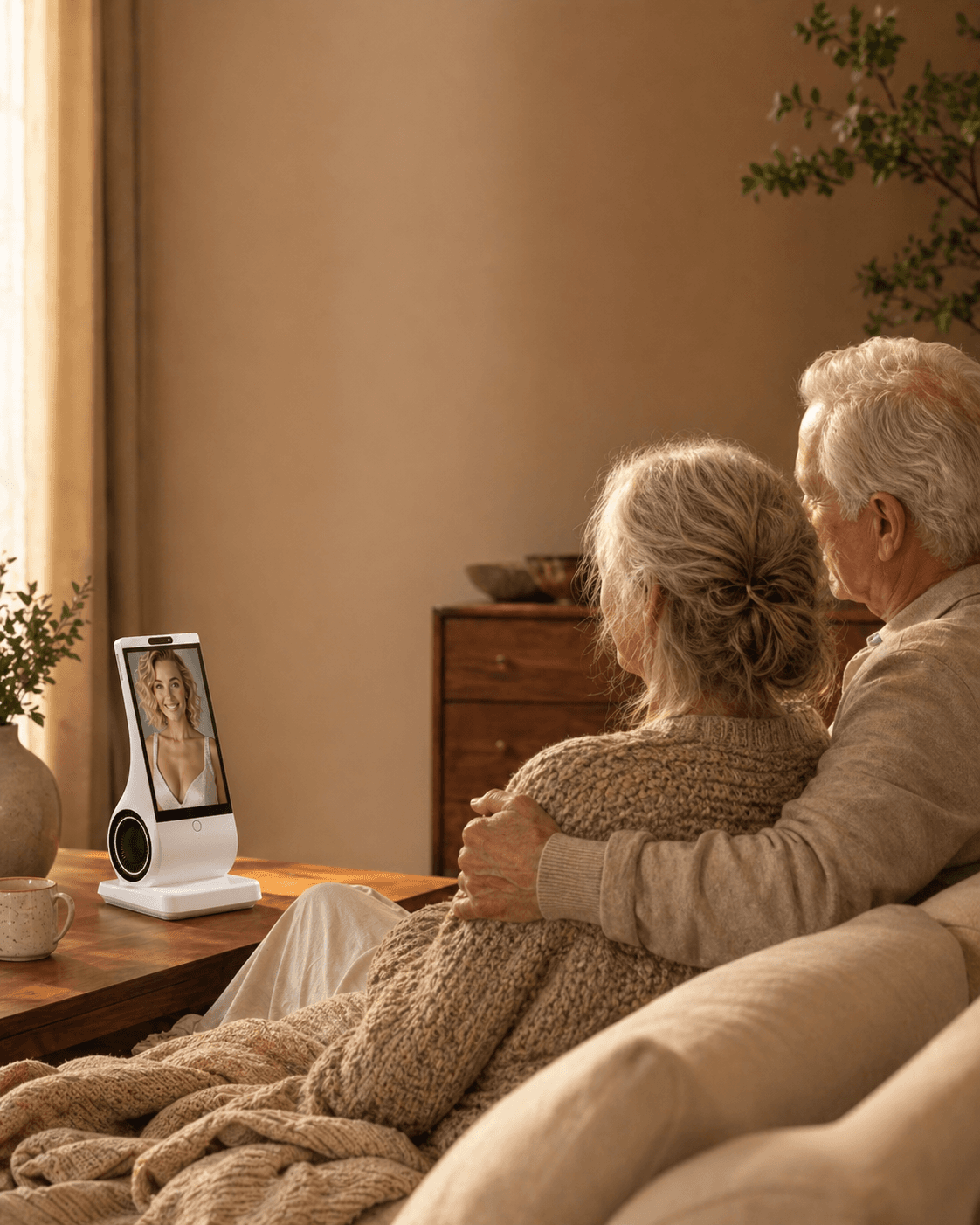
Not always. Within EUVOLA, long-term memory follows the user account, so it can sync when you switch to another EUVOLA device. That is account continuity, not cross-platform portability: EUVOLA memory cannot currently be exported to another platform or app. EUVOLA plans to let users import memories from other platforms and apps in a future release, but that feature is not available yet. Across services, assume nothing transfers until both export and import are confirmed.
Reviewed and updated: July 28, 2026
What “transfer an AI companion’s memories” actually means
An AI companion does not have one portable memory file. What feels like one continuing relationship may be spread across several layers:
- Conversation history: visible chats, call transcripts, images, and attachments.
- User profile: your name, preferences, pronouns, routines, and custom instructions.
- Explicit long-term memories: facts the service has saved, such as important people, dates, interests, and recurring topics.
- Derived relationship state: hidden summaries, relevance scores, safety settings, model-specific prompts, and patterns inferred from past conversations.
- Companion assets: persona text, avatar, generated images, cloned or personalized voice, and other files.
Exporting one layer does not move the others. A transcript can preserve words without preserving the system’s internal memory. A persona prompt can reproduce a tone without reproducing shared history. A voice file can reproduce sound without transferring consent, settings, or the right to use it.
Current official documentation illustrates the difference. OpenAI’s account-transfer guidance says an exported conversation file can be uploaded for reference, but this does not recreate the original chat history or move saved memories, settings, subscriptions, files, or other account state. Anthropic documents a memory import-and-export feature for Claude, but that is a product-specific capability, not proof that every AI companion can exchange memory with every other service.
The practical rule is simple: data export is not the same as memory import, and memory import is not the same as relationship continuity.
Portability is also an exit-risk question. The NIST Generative AI Profile identifies data retention, opt-outs, decommissioning, and third-party dependencies as lifecycle considerations for generative AI systems. For a consumer, that translates into four questions: what can I take with me, what will stop working, what will the company retain, and what happens if a cloud or vendor service ends?
A five-level portability ladder
Use this ladder before you become emotionally or financially dependent on a companion service.
Level 0: No usable exit
There is no visible export, no readable memory list, and no clear answer about what happens after cancellation or account closure. Screenshots may be the only record. This creates high lock-in.
Level 1: Human-readable preservation
You can save chats, images, or a written summary. The files may be useful to you, but another service cannot automatically interpret them as structured memory.
Level 2: Structured export
The service provides data in a documented format such as JSON, CSV, or another machine-readable package. Fields are labeled, dates are preserved, and the export separates conversations, profile facts, media, and memory where possible.
Level 3: Tested import
The destination service explicitly supports the source format or gives a documented mapping process. You can import a small sample, inspect the result, correct errors, and remove sensitive material before a full migration.
Level 4: Verified continuity
After import, you can confirm which memories arrived, which were omitted, how the new system uses them, and whether the persona remains stable across several conversations. Even at this level, the new companion will not be identical: models, safety rules, voice systems, retrieval logic, and product behavior differ.
The sources reviewed for this guide did not reveal a widely adopted consumer standard that guarantees Level 4 portability across AI companion products. Support must be verified product by product.
Prove the export-to-import path instead of scoring portability
List the objects you want to move: chats, saved memories, profile settings and media may have different export options. Obtain a small, non-sensitive sample in a documented format. Then verify what the destination actually accepts and how it represents the imported material.
Reading an archive is not the same as importing operational memory. Pasting a summary does not transfer a model, personality or relationship state. Inspect what was retained, correct errors and test removal before moving sensitive material.
Keep the source available until the new arrangement is verified and you have decided what to retain. Do not delete the original account merely because an export finished. Missing import or inspection controls remain blockers, regardless of how many other features work.
A five-step migration checklist
1. Export before you cancel
Request the fullest available archive while the account and subscription still work. Some export links expire, and premium-only memory tools may disappear after cancellation. Keep the original package unchanged so you have an audit copy.
2. Separate useful memory from sensitive history
Do not upload years of intimate conversation just because you can. Remove passwords, payment details, medical records, addresses, private information about other people, and any voice or image material you do not have permission to reuse.
Create a short migration brief with:
- the user’s current preferences and boundaries
- important people and relationships
- a small set of verified shared memories
- topics the new companion should avoid
- the desired tone, without claiming the new system is the old one
3. Test a small import
Start with a few low-risk memories. Ask the destination service what it imported, where those records appear, whether they affect future chats, and how to correct them. A successful file upload may only make the file available in one conversation.
4. Run a verification conversation
Ask neutral questions that have clear answers. Check dates, names, relationships, preferences, and boundaries. Record false memories and omissions. Do not “teach to the test” by putting the answer in the same message as the question.
5. Close the old account only after the new setup is proven
Cancel billing, delete data, or retire the old device only after you have confirmed the export is complete and the new setup is acceptable. Remember that canceling a subscription, deleting an app, deleting chats, deleting saved memory, and deleting an account are separate actions.
A practical migration timeline
48 hours before the move: request exports, check subscription dates, and document what should remain private.
24 hours before the move: write the migration brief, remove unnecessary third-party data, and confirm permission for any voice or likeness material.
Move day: import only a small test set. Keep the old account unchanged.
The next day: inspect memory, test recall, correct errors, and check whether the destination used the file only as chat context or as persistent memory.
After seven days: compare consistency, emotional comfort, privacy controls, and cost. Keep both services only if there is a clear reason; otherwise finish cancellation and deletion steps for the old one.
Common misconceptions—and the correction
“If I can download my data, I can restore the companion anywhere.”
Correction: A legal or account data export may be designed for access, not restoration. It may contain raw logs that another service cannot import.
“The same backstory and voice will create the same companion.”
Correction: Model behavior, system prompts, safety rules, memory retrieval, and product updates shape the experience. Similar inputs can produce a different personality.
“More chat history creates a more accurate migration.”
Correction: Large archives can contain contradictions, outdated facts, private third-party information, and emotionally intense material. A smaller, verified summary is often safer and more useful.
“The right to data portability guarantees a complete AI relationship transfer.”
Correction: In places where data-portability rights apply, they generally concern personal data provided to an organization in a structured, machine-readable format. They do not guarantee technical compatibility, transfer of proprietary model state, or identical behavior at the destination.
“Owning the device means I own the AI service and memory system.”
Correction: Connected hardware may still depend on cloud models, account services, memory databases, and vendor support. Hardware ownership does not guarantee offline conversation or cross-provider migration.
When migration is not the right next step
Pause before migrating if the archive includes another person’s private messages, a deceased person’s voice or likeness without clear permission, disputed family material, legal or clinical records, or content that could enable impersonation or fraud.
Also pause if moving the companion causes severe distress, panic, self-harm thoughts, or a belief that the original system is a conscious person being abandoned. An AI companion may feel emotionally important, but it is not a crisis service. In a crisis, contact local emergency or qualified human support.
Migration is not a reliable way to preserve evidence. If records matter for a complaint, legal dispute, safety incident, or financial issue, keep the original export, dates, receipts, and relevant policy pages. Do not rely on a rewritten memory summary.
Where EUVOLA fits: account sync, not cross-platform export
EUVOLA is a dedicated, voice-first AI companion device for home use. Its long-term memory is linked to the user account rather than one specific device. When a user signs in with the same account on another EUVOLA device, that memory can sync across the device change. This is an account-based continuity feature inside EUVOLA.
The boundary is equally important: EUVOLA memory cannot currently be exported to another platform or app. EUVOLA plans a future import feature for bringing memories from other platforms and apps into EUVOLA, but that feature is not yet live. Its supported sources, formats, review controls, and launch timing should not be assumed before the feature is released.
For a device replacement, sign in with the same user account and verify that memory has synced before retiring the old EUVOLA device. Do not treat account sync as proof of cross-platform portability, and do not treat the planned import function as available today. Use the official FAQ and privacy policy for current service terms, and do not upload a relative’s photo, voice, or private history without permission.
FAQ
Can screenshots transfer an AI companion’s memory?
No. Screenshots preserve visible text or images for a person to read. A new service may summarize them, but screenshots do not carry structured memory fields, dates, permissions, or hidden relationship state.
Can I move the same AI companion to a replacement device?
With EUVOLA, long-term memory follows the user account and can sync when you sign in on another EUVOLA device. This is account continuity within EUVOLA, not an export to a different app or platform. Verify the sync before retiring the previous device.
Is uploading an exported chat the same as importing memory?
Usually not. The file may be available only inside one conversation as reference. Ask whether the destination saves facts persistently, lets you inspect them, and uses them in future chats.
Does data portability law force every AI companion to support migration?
No universal rule guarantees a complete companion migration. Some laws may give eligible users rights to receive or transmit certain personal data, but scope, jurisdiction, legal basis, and technical feasibility matter. This guide is not legal advice.
Should I copy every conversation?
Usually no. Preserve what matters, but minimize sensitive material. A curated, accurate migration brief is often easier to verify than a large archive filled with outdated or conflicting details.
Will switching services delete the old companion?
No. Importing data elsewhere does not normally cancel billing or delete the source account. Follow the old service’s separate steps for subscription cancellation, memory deletion, account deletion, and device transfer.
Can a voice or avatar be transferred with memory?
Only if the source allows export, the destination supports import, and you have the necessary permission or rights. Voice and likeness files create extra privacy, consent, and impersonation risks; treat them separately from text memory.
Can I export EUVOLA memory to another app or platform?
No. EUVOLA memory cannot currently be exported to another app or platform. Account-based synchronization between EUVOLA devices is a separate capability and does not create a portable cross-platform memory file.
Can EUVOLA import memories from another app?
Not yet. EUVOLA plans to add a future import function for memories from other platforms and apps. Until it is released with documented source, format, consent, review, and deletion controls, treat the capability as planned rather than available.
What should I ask support before buying?
Ask how account-based device synchronization works, what must be done before replacing a device, what remains after Premium or subscription ends, how memory can be reviewed or deleted, and what happens to data if you close the account. For the planned import feature, wait for documented formats and controls.
Sources and further reading
- OpenAI Help Center: Transfer exported conversations between ChatGPT accounts
- Anthropic Help Center: Import and export your memory from Claude
- European Commission: Dealing with individuals’ data portability requests
- NIST: Artificial Intelligence Risk Management Framework—Generative AI Profile
- EUVOLA official FAQ
- EUVOLA privacy policy