
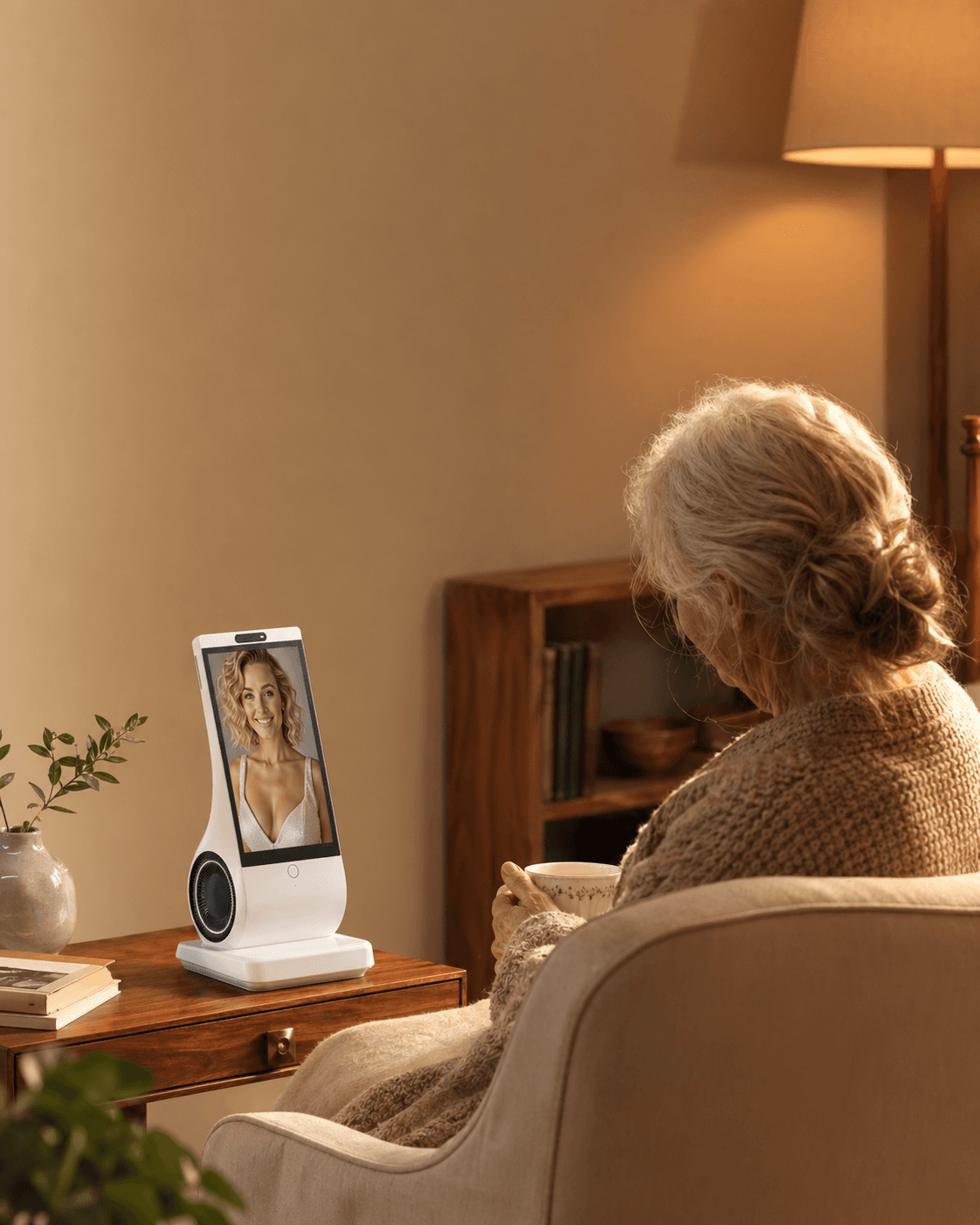
A voice-first AI companion can work well at home when speaking is genuinely easier than reaching for a phone, the device understands the user in the room where it will live, and everyone accepts its privacy boundaries. Do not decide from a polished demo. Test real speech, background noise, turn-taking, hearing needs, Wi-Fi failure, and who can control the account before treating it as part of a daily routine.
Reviewed and updated: October 9, 2026
EUVOLA, which sells a home companion device, publishes this guide. These are editorial checks, not reported product trials, a clinical assessment or a product certification.
What “voice-first” means—and what it does not
Voice-first means speech is the main way to start, continue, and finish an interaction. A device may still have a screen or companion app, but the user should not need to unlock a phone, find an app, or navigate several menus for ordinary conversation.
That is different from a general voice assistant built mainly for commands such as weather, timers, and music. An AI companion is designed for repeated conversation, a more consistent persona, personalization, and often some form of memory. The labels overlap, so judge the interaction rather than the marketing category.
Voice-first also does not mean voice-only. The W3C’s accessibility guidance identifies voice-only services as a barrier for people who cannot reliably hear speech. A useful product should offer an understandable visual state, readable text or another fallback when sound is not enough.
Finally, a home companion is not an emergency system, medical device, therapist, or caregiver simply because it can speak. Conversation and routine prompts are different from fall detection, medication verification, emergency calling, or professional care.
Six tests that matter more than the demo
Use the person’s normal room, normal speaking voice, usual television or kitchen noise, and ordinary Wi-Fi. A quiet showroom test hides the failures that shape daily use.
- Start and turn-taking. Try: begin ten conversations from the usual chair or standing position; interrupt, pause, and change the subject. Workable: the device makes it clear when it is listening, waiting, thinking, and finished. Warning: the user repeatedly guesses whether to speak, talks over replies, or must restart.
- Recognition. Try: ask the same five everyday questions in a natural accent and at a comfortable volume. Workable: meaning survives normal phrasing changes and corrections are easy. Warning: the user must perform a special accent, memorize rigid wording, or repeat sensitive details.
- Hearing and visual fallback. Try: test with the television on, from the usual distance, and with any hearing aids normally used. Workable: volume is comfortable, speech is clear, and key information can also be seen or repeated. Warning: louder audio becomes harsh, names and numbers are often missed, or there is no non-audio fallback.
- Shared-room privacy. Try: have another household member speak nearby and use a phrase that resembles the activation word. Workable: listening state is visible or audible, accidental activations are understandable, and a mute control exists. Warning: bystanders cannot tell when audio is being processed or who can access recordings.
- Network and power. Inspect the documented outage and recovery procedure first. Consider an interruption only on a fully isolated, nonessential test connection and supply, under the provider's procedure and with the user's agreement. Never disconnect or restart a network or power supply that supports care, medical alerts or emergency services. Keep an independent help path available. If isolation cannot be confirmed, mark behavior untested and ask support. Look for a clear failure state, simple recovery and a separate path for important routines; do not mistake the companion for an offline or emergency tool.
- Ownership and exit. Try: find the privacy controls, retention choices, account owner, cancellation steps, and deletion process. Workable: the intended user understands who controls data and can stop using the service without pressure. Warning: a family buyer controls everything, the user cannot review choices, or cancellation breaks an essential routine.
Age can make several of these tests more important, but age alone does not predict success. The W3C guidance for older users notes that changes in vision, dexterity, hearing, short-term memory, and concentration can overlap. A hands-free interface may reduce tapping and reading while creating new problems with hearing, recall, or uncertainty about what to say.
Hearing deserves a real test rather than an assumption. The U.S. National Institute on Deafness and Other Communication Disorders reports that about one in three U.S. adults ages 65–74 has hearing loss, rising to nearly half after 75. It also recommends reducing background noise during conversation. Read the NIDCD overview of age-related hearing loss.
Record which home conditions work—and which do not
For each task above, record the room, language, background sound, distance, result and help needed. Repeat under ordinary conditions rather than assigning a pass from one quiet demonstration. A problem that matters to the intended user is not cancelled by success on unrelated tasks.
Separate a fixable setup issue from a missing capability. Moving the device may improve audibility; it does not create captions, offline conversation or emergency response. Ask whether the proposed fix is supported and test it.
There is no validated fit score here. Keep unresolved requirements visible, and choose a different arrangement if the user cannot comfortably control or understand the interaction. For reading or typing barriers, follow the separate accessibility guide.
For reading or typing barriers, use the full accessibility checklist.
An illustrative seven-day home trial
The schedule below is an example, not a validated duration that proves suitability. Adapt it to the user and the actual return window. A missing essential control or safety requirement is a reason to stop, however many days have passed.
Day 0: Agree on the role
Write one sentence together: “We are trying this for daily conversation and routine prompts,” or another narrow purpose. Name what it will not do. Decide who owns the account, who may change settings, and whether anyone else may see conversation data. If the intended user does not agree, stop.
Days 1–2: Test one quiet-room routine
Choose one low-stakes use, such as a morning greeting, a short conversation after lunch, or an evening reflection. Do not add health, shopping, smart-home, calendar, and family features at once. Record only whether the interaction started, whether both sides understood each other, and whether the user wanted to continue.
Days 3–4: Use the real home
Try the usual chair, kitchen counter, lighting, distance, television volume, accent, and time of day. Include one correction, one interruption, and one unexpected question. A companion that works only when a technically confident person stands beside it has not passed.
Day 5: Test shared-space consent
Ask every regular household member whether they can tell when the microphone is active and whether they know how to mute or pause it. Review connected accounts and audio-retention controls. The U.S. Federal Trade Commission warns that voice assistants can activate after mishearing a wake word and advises users to check listening indicators, physical mute controls, recording retention, connected accounts, and login security. See the FTC voice-assistant privacy guide.
Day 6: Review failure and recovery safely
Review the manual and support instructions with the intended user. Only if a nonessential test connection and power supply are fully isolated from care and emergency services should you consider a provider-approved interruption. Do not shut off household Wi-Fi or restart a shared router for this exercise. If safe isolation is unavailable, leave outage behavior untested and ask support. Keep an independent way to seek help. Check ordinary alternatives such as a written schedule or a nonessential phone call; any medical-alert or emergency-system test must follow its provider's formal procedure, never an improvised alarm or unarranged emergency call.
Day 7: Decide from behavior
Review the recorded obstacles and whether each required task now works. Also ask three plain questions: Did it make the day easier? Did the user choose to speak with it without being prompted? Did it preserve rather than displace contact with other people? Continue only if the answers are mostly positive and the hard-failure boundaries remain intact.
Five actions before you buy or keep one
- Test the intended user, not the purchaser. The person who will live with the device should use their own voice, accent, hearing setup, room, and routine.
- Verify the activation and fallback paths. Know how interaction starts, how to interrupt, how to mute, what appears on screen, and what happens without Wi-Fi.
- Read the privacy and memory controls together. Check whether audio is stored, reviewed, used for training, deletable, exportable, or visible to family members.
- Separate convenience from safety. Keep independent systems for emergency response, medication management, clinical care, and urgent human help.
- Set a review date. Agree when to revisit use, frustration, privacy settings, terms and human contact, within the actual return or renewal deadlines. Seven days and one month are possible review points, not validated requirements or guarantees.
Common mistakes—and the correction
“Hands-free means effortless”
Voice removes some taps, but it adds turn-taking, phrasing, listening, and repair. Correct this by testing complete conversations, not one successful command.
“A human-sounding voice understands me”
Natural speech can make an interaction feel attentive even when the system has misunderstood the facts or emotional context. Correct this by checking important details elsewhere and by treating the companion as generated software, not a person.
“More proactive is always more companionable”
Unrequested greetings can feel welcoming to one person and intrusive or startling to another. Correct this by checking whether proactive interaction can be scheduled, limited, paused, or disabled.
“No camera means no privacy issue”
A microphone, account, transcript, memory, presence sensor, and cloud connection can still involve sensitive data. Correct this by reviewing the whole data path and the controls available to every person in the room.
“If it worked on day one, it will fit long term”
Novelty can hide friction, while updates, hearing changes, network problems, and subscription changes can alter the experience. Correct this with repeated trials and a clear exit plan.
When a voice-first companion is not the right fit
Do not rely on one when the user cannot consistently hear or understand its speech and there is no accessible alternative; when voice interaction causes distress, confusion, or a sense of surveillance; when the home lacks reliable power or internet and the expected task needs continuous availability; or when no one can safely maintain the account and network.
It is also the wrong tool for a job that requires guaranteed emergency response, verified medication intake, diagnosis, treatment, or professional judgment. A companion may sit alongside those services, but should not impersonate them.
If cognitive, hearing, speech, or vision changes are new or worsening, address those needs with an appropriate health professional rather than trying to solve them only through device settings.
Where EUVOLA fits—and where it does not
EUVOLA is a dedicated home AI companion device designed for voice-first conversation with a personalized on-screen avatar. According to the current official EUVOLA FAQ, it has no camera, uses a human-presence sensor, requires Wi-Fi for conversation and service access, and does not currently work offline. The screen provides a visual companion, but prospective users should still test speech recognition, listening comfort, room placement, and the exact fallback they need.
EUVOLA can create medication and schedule reminders, but it cannot confirm that medication was taken or notify family members about a missed dose. It is not a medical, therapy, caregiving, fall-detection, or emergency-calling product, including for 911 or another local emergency number. Family conversation viewing, summaries, family accounts, permission management, and remote setup are not currently available; the FAQ describes remote setup as planned.
Its supported languages share the same features, while recognition quality may vary by language, accent, environment, and voice. That makes an actual home trial more informative than a language list. Review the current FAQ, privacy policy, subscription terms, return policy, and support information before purchase, because product capabilities and policies can change.
FAQ
Is voice-first the same as voice-only?
No. Voice-first makes speech the primary interaction, while voice-only offers no meaningful visual, text, touch, or other fallback. Voice-only can exclude people who cannot reliably hear, speak, or understand the device.
Is a dedicated device easier than an AI companion app?
Sometimes. A device that is always placed in the same room can remove phone unlocking and app navigation. It can also add setup, charging, Wi-Fi, microphone, and household-maintenance work. Test the complete routine rather than assuming hardware is simpler.
Will a voice companion understand an older voice or regional accent?
No manufacturer’s language list can guarantee that. Recognition varies with voice, accent, speech pattern, microphone distance, room acoustics, and background noise. Test repeated natural conversations in the actual room and return the product if the user must continually adapt to it.
Can a person with hearing loss use a voice-first companion?
Possibly, if audio is clear at a comfortable volume and essential information has a readable or otherwise accessible alternative. Test with the person’s normal hearing aids and home noise. A voice-only design without fallback may be unsuitable.
Is a voice-first companion always listening?
Designs differ. Some systems monitor locally for an activation pattern and then process audio after activation; accidental activation can still happen. Check the listening indicator, mute control, privacy policy, storage settings, and whether recordings or transcripts can be reviewed or deleted.
Does a voice-first AI companion work without Wi-Fi?
Some products provide limited local functions, while many conversational systems depend on cloud services. Check the exact product. EUVOLA’s current FAQ says Wi-Fi is required and offline functionality is not currently available.
Can it replace regular calls and visits?
It should not. A good result is a device that makes quiet parts of the day easier while preserving or encouraging human contact. If it becomes a reason for family, friends, or caregivers to withdraw, the arrangement needs to change.
How long should the trial be?
There is no validated fixed duration that establishes long-term fit. Repeated ordinary use can reveal obstacles, while one clear failure may justify stopping immediately. Work within the actual return window and agree later reviews if you keep the product. Do not infer reliability from completing seven days or one month.
Sources and further reading
- W3C: Older Users and Web Accessibility
- W3C: Auditory Disabilities and Digital Barriers
- NIDCD: Age-Related Hearing Loss
- FTC: How To Secure Your Voice Assistant and Protect Your Privacy
- ICO: Transparency Guidance for Consumer IoT Products
- Peer-reviewed study: First Interactions With a Smart-Speaker Voice Assistant
- Peer-reviewed study: Factors Influencing Older Adults’ Acceptance of Voice Assistants
- EUVOLA Official FAQ