
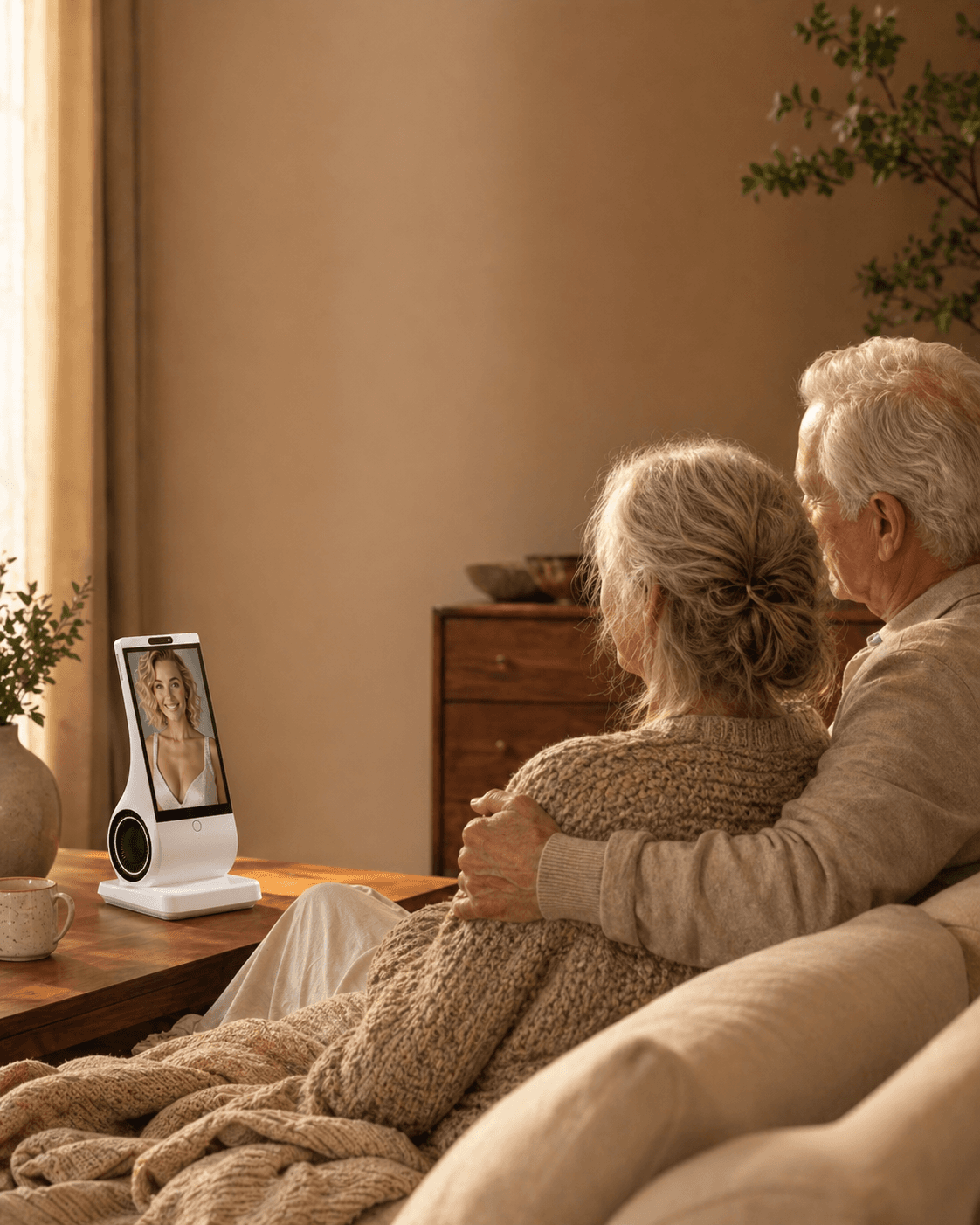
An AI companion can be a thoughtful assisted-living gift when the resident wants private, optional conversation and the facility can support the device. It is a poor gift when it is meant to reduce family visits, monitor staff, treat depression, manage care, or coax someone into technology they do not want. Ask the resident first, check Wi-Fi, power, privacy, cleaning, and staff rules, then judge a two-week trial by whether it widens human life rather than replacing it.
Reviewed and updated: September 1, 2026
The room is new, but the loss is not only a room
Mara’s mother had been in assisted living for nine days when she began saying, “There is nothing to do here.” The building had a library, a garden, a weekly piano hour, three exercise groups, and a dining room full of people. Her mother had attended none of them. She ate early, returned to her apartment, and called Mara just as Mara was putting two children to bed.
Mara considered sending a tablet. Her mother disliked tapping small icons and had forgotten three video-call passwords in the previous year. A smart speaker seemed easier, but Mara wanted more than weather and timers. An AI companion sounded promising: something her mother could speak with when the apartment felt unfamiliar and the evening stretched ahead.
The buying question was not “Could a device keep her busy?” That question was too easy. Almost any screen could occupy time. The harder question was whether a companion would help her mother build a life in the new place, or quietly make withdrawal easier.
Recent public discussions show why families reach this point. In August 2026, adult children in AgingParents described a parent becoming distressed after a move to assisted living, residents refusing a full calendar of activities, and families wondering why an expensive facility had not automatically produced connection. Other posts asked how often family should visit a parent in care, whether a nursing home improved quality of life, and what to do when a parent wanted the old home rather than any offered activity. These accounts are signals of real buying anxiety, not evidence that every resident is lonely or that a device solves adjustment.
An assisted-living apartment may be safer and more supported than the previous home while still feeling like a rupture. Furniture has been reduced. A familiar street is gone. Meals happen on someone else’s clock. Neighbors have their own losses and habits. Staff enter the room. Family members may believe the move ended the problem, while the resident experiences it as the day the problem acquired a new address.
That is the context in which a companion can be useful. It is also the context in which a well-intended gift can become insulting: “We moved you here, and now we are sending a machine to talk to you.”
Assisted living, nursing homes, memory care, and independent living are not interchangeable
Families often use “care home” for several settings. The differences matter because they change who can consent, who can set up a device, what the network permits, how much privacy exists, and what help staff can reasonably provide.
Independent living usually offers housing, meals, amenities, and social activities but less personal care. Assisted living commonly adds help with daily activities, medication administration, or supervision, with rules that vary by country, state, operator, and the resident’s contract. Memory care adds a more secure environment and staff practices designed for cognitive impairment. A nursing home provides nursing and medical services at a higher level than ordinary assisted living.
Do not assume a device approved in one setting is approved in another building owned by the same company. Do not assume a staff member can connect it to Wi-Fi, remember to charge it, troubleshoot an account, or discuss the resident’s use with family. Those jobs may fall outside the care plan. A resident may have a private apartment in one facility and a roommate in another. A network may accept ordinary phones but block unfamiliar connected hardware. A power strip may be prohibited near a bed or oxygen equipment.
The correct unit of decision is not “seniors in facilities.” It is this resident, in this room, under this facility’s current rules, with this family’s actual capacity to support the device.
What research supports, and where the evidence stops
The National Institute on Aging distinguishes loneliness from social isolation. Loneliness is the distressing feeling of being alone or separated; social isolation is having few contacts or people to interact with regularly. Someone can feel lonely in a busy residence, and someone who enjoys long periods alone may not feel lonely at all. That distinction prevents a family from treating an activity count, call count, or device-usage count as a diagnosis.
Research on social robots in long-term care is promising but narrower than product marketing often suggests. A 2024 meta-analysis of randomized trials included eight studies of physically embodied social robots in long-term-care facilities and reported improvements in loneliness and depressive symptoms. Group-based activities performed better for depression than individual use in that analysis. That detail is important: a robot may sometimes work as a shared object that starts human conversation, not merely as a private substitute for it.
A 2025 meta-analysis synthesized 19 studies involving 1,083 older adults and found an overall reduction in loneliness associated with social robots, particularly in institutional settings. The studies still differed in devices, duration, participants, comparison groups, and definitions of loneliness. An average research effect does not predict whether Mara’s mother will like a voice-first companion, whether it will recognize her speech, or whether staff will support it.
There is another mismatch to notice. Much of the care-setting literature studies robotic pets, therapeutic robots, or researcher-led programs. A consumer conversational AI device placed in a private room is not automatically the same intervention. It may have different privacy practices, conversational behavior, training data, maintenance needs, and staff involvement. Evidence about a seal-shaped therapeutic robot cannot be transferred wholesale to every generative AI companion.
Research also does not justify calling an AI companion a treatment for depression, anxiety, grief, dementia, or loneliness. A resident who is persistently hopeless, markedly withdrawn, frightened, confused, not eating, not sleeping, expressing a wish to die, or showing a sudden change needs attention from people responsible for health and care. A device should not conduct that assessment or become the reason a family delays it.
Give the device one honest job
“Keep Mom company” sounds clear until nobody can tell whether it happened. Give the trial a job that can be observed without spying on conversations.
Useful jobs are modest:
- Offer optional conversation during the quiet hour after dinner.
- Help the resident rehearse a question for the activities director.
- Prompt the resident to choose one human activity tomorrow.
- Provide a familiar voice-first interaction when a touchscreen feels tiring.
- Help the resident list stories or questions to bring to the next family call.
Poor jobs hide a care gap:
- Notice neglect, falls, pain, delirium, or medication errors.
- Replace visits because the family is busy.
- Report what the resident says to relatives.
- Persuade a resident to accept the move.
- Provide therapy or diagnose depression.
- Keep a resident with unsafe wandering, severe confusion, or acute distress “calm enough” without staff involvement.
The narrow job should be written in one sentence before purchase. If the family cannot write it without words such as monitor, prevent, treat, guarantee, replace, or make them, the device is probably being assigned work it cannot safely do.
Compare five options before choosing a conversational companion
The nearest alternative is not always another AI product. Compare the missing experience first.
Facility activities and one-to-one staff invitations
Best when the resident wants shared interests, movement, meals, spiritual practice, games, or contact with people nearby. A personal invitation can matter more than a printed calendar, especially during the first weeks. The limitation is that staffing and programming vary, and an introverted resident may reject a large group while accepting coffee with one neighbor.
Family and friend calls
Best for mutual history, love, practical decisions, and noticing meaningful changes. Calls can be scheduled around the resident’s energy rather than used as emergency entertainment whenever an evening feels empty. The limitation is obvious: family availability is finite, and a resentful daily call can feel worse than a warm call with a reliable boundary.
A tablet or smart display
Best for video calls, photographs, messages, streaming, reading, and familiar apps. It may be the strongest choice when the real need is contact with known people. It can fail when logins, menus, updates, small targets, hearing, vision, or hand control make every session dependent on a helper.
A smart speaker
Best for music, radio, weather, timers, simple questions, and smart-home controls where permitted. It is often cheaper and familiar. Its conversational continuity and persona may be limited, and privacy controls, account linking, purchasing permissions, and drop-in features need review.
A robotic pet or tactile companion
Best when touch, predictable responses, and a low-language experience matter more than open conversation. Some models do not need continuous internet service. They may suit residents who enjoy animals but cannot safely care for a living pet. They can also feel childish, confusing, repetitive, hard to clean, or unwelcome to the individual.
A voice-first AI companion
Best when the resident wants open-ended, repeated conversation without navigating a general-purpose screen. It may offer continuity and personalization. It also brings internet dependence, account management, variable speech recognition, data questions, conversational mistakes, and the possibility of emotional over-reliance.
No option wins by feature count. If the resident wants to see grandchildren, improve the video-call setup. If the resident wants jazz in the evening, a radio or smart speaker may be enough. If the resident wants a soft animal-shaped object, do not buy a talking screen. If the resident wants conversation and understands what an AI is, a companion trial becomes more reasonable.
Agree the room arrangement with the resident and facility
Confirm the resident's wishes first, then ask the facility about the actual room, network, power, placement, quiet hours and responsibility for support. A family cannot volunteer staff time on the staff's behalf. A product that worked at the purchaser's home still needs a room-specific check.
Include roommates, visitors and care conversations in the privacy discussion. Clarify when the device is off or muted and which access, if any, the resident has authorized. One person's purchase does not settle everybody else's preferences or the facility's rules.
Keep care, emergency response and family visits independent. Resolve each required condition directly rather than awarding a readiness score; a resident's refusal or an unworkable privacy arrangement is not offset by good Wi-Fi.
Ask the facility before the box arrives
Speak with the resident first, then ask the facility only the questions necessary to make the resident’s choice workable. A short written answer prevents conflicting promises.
- Are personal voice-connected devices allowed in the resident’s room?
- Does resident Wi-Fi support devices without a browser screen, and is device registration required?
- Where may it be plugged in, and are there fire-safety, oxygen, trip-hazard, surge-protector, or night-time rules?
- Is the room shared, and what consent or placement rules protect the roommate?
- May the device be used during personal care, clinical visits, or staff conversations? The safest default is mute or off.
- Who may touch, move, clean, charge, restart, or reconnect it?
- Will staff provide any technical support, or must a family member own every support task?
- What happens if the resident changes rooms, enters hospital, transfers units, or loses decision-making capacity?
- Is there a place for private calls and conversations if the apartment is shared?
- Who is the contact for privacy concerns or a resident-rights complaint?
The Administration for Community Living explains that every US state and several territories have a Long-Term Care Ombudsman serving residents of nursing homes, board-and-care homes, and assisted-living facilities. The ombudsman is not a product support line. It is a resident advocate when rights, choice, privacy, access, or facility practice become disputed.
Set up for dignity, not surveillance
Use the resident’s account where possible, not an adult child’s account disguised as theirs. Let the resident choose the visible name, avatar, voice, language, volume, and location. Explain in ordinary words what the device sends to a provider, what may be stored, who can access it, how memory works, whether data may be used for model improvement, and how to mute, delete, or stop.
The FTC’s connected-device advice recommends keeping device and app software current, disabling features that are not used, and reviewing privacy and security settings. In a residence, add four practical protections:
- Turn off purchasing and account changes that can be triggered by voice unless the resident needs and understands them.
- Do not enable family access to conversations merely because the buyer paid for the device.
- Use a unique account password and the strongest available sign-in protection.
- Remove the device or clear the account before it is donated, resold, returned, or passed to another resident.
Place it where a wheelchair, walker, staff member, cleaning cart, and roommate can pass without catching a cable. Avoid the bedside if late-night interaction disrupts sleep or if personal care happens there. Avoid a dining room or shared lounge unless the facility and other people have explicitly accepted it.
Cleaning is not cosmetic in a communal setting. Follow the manufacturer’s instructions; harsh chemicals can damage microphones, speakers, screens, coatings, or seals. The CDC advises following manufacturer guidance for electronics and considering wipeable covers where appropriate. Decide who cleans it, with what product, and after which kind of contact. A personal device should not casually become a shared device.
A two-week trial that measures life, not minutes of use
Two weeks is long enough to encounter an ordinary weekday, a weekend, a low-energy day, a family visit, a facility activity, and at least one minor technical problem. It is short enough to stop before the device becomes furniture nobody chose.
Before day one
Write down the narrow job. Record the agreed room, support and privacy arrangements. Keep the return deadline visible. Choose two human routines that will not be reduced during the trial, such as Tuesday family calls and Friday lunch with a neighbor. Agree on a no-penalty stop phrase: “I don’t want this in my room anymore.”
Days one to three: comfort and control
Test only basic conversation, volume, mute, restart, and charging. Ask whether the resident likes the voice and presence. Check whether others can hear it through the wall or doorway. Do not load every feature. A device that succeeds only after a family member performs a 20-minute ritual each morning has revealed a support cost.
Days four to seven: one bridge outward
Try one small bridge to a person: prepare a question for the activities director, choose a photo to discuss on the next call, remember a neighbor’s name, or plan to attend ten minutes of one chosen event. The companion should not nag. A refusal is information.
Days eight to eleven: test a failure
Restart the device. Let the Wi-Fi disconnect once. Test what happens after an update, an unclear request, or a wrong answer. Confirm that the resident knows the device can be mistaken. Rehearse the real path for urgent help: call button, staff contact, medical alert system, phone, or emergency service as appropriate. Never manufacture a medical emergency for a test.
Days twelve to fourteen: decide without sunk-cost pressure
Ask five questions separately of the resident, family support person, and relevant staff member:
- Does the resident choose to use it when nobody prompts them?
- Can they stop, mute, and correct it?
- Did human contact stay stable or improve?
- Did support work remain within the named person’s capacity?
- Did any privacy, sleep, conflict, confusion, or safety problem appear?
Keep it only when the resident wants it and the answers are good enough. Returning a device is not a failed relationship. It is a successful trial that prevented an unwanted object from taking permanent space.
Five actions that matter more than the model name
1. Ask for permission before purchasing
Show a neutral demonstration if possible. Do not present the device as a surprise cure for loneliness. A gift creates social pressure to be grateful; a trial preserves choice.
2. Name one support owner and one backup
The owner handles account recovery, network reconnection, updates, returns, and deletion. Staff help only if the facility has agreed. If the adult child lives eight time zones away, “I will manage it remotely” needs a real method, not optimism.
3. Protect two human anchors
Keep specific calls, visits, meals, worship, classes, therapy, volunteer work, or neighbor contact in the calendar. Do not trade them for device minutes. If an anchor is no longer wanted, replace it with another human option chosen by the resident.
4. Write the red lines
Examples: no use during personal care; no conversation access for family; no medical advice; no purchases; mute during visitors; staff concerns go to a person; sudden behavior change goes to the care team; suicidal or emergency statements trigger immediate human help.
5. Schedule a 14-day and 60-day review
Novelty can look like adoption. At 60 days, ask whether the device still fits, whether support has grown, whether privacy preferences changed, and whether it is bridging outward or enclosing the resident further.
Common mistakes, with better corrections
“The building has activities, so loneliness is solved”
A calendar is not belonging. Ask which person, time, group size, interest, language, mobility arrangement, or invitation style would make one activity acceptable. The device may help rehearse the first step, but it cannot create membership by itself.
“They use it every day, so it works”
Daily use may mean delight, habit, insomnia, boredom, or growing dependence. Track chosen human contact and resident satisfaction, not private conversation content or raw minutes.
“Staff can keep an eye on it”
Care staff already have defined duties. Unless support is documented, assume the family owns charging, passwords, updates, network failures, and returns. Do not let a consumer gadget quietly add unpaid work.
“No camera means no privacy issue”
A microphone, account, transcript, memory system, network connection, or loudspeaker can affect privacy. No-camera design reduces one category of concern; it does not eliminate the rest.
“It will tell us if something is wrong”
A companion’s conversational response is not a reliable health or safety assessment. Use the facility’s call system, care plan, clinical staff, medical alert equipment, and emergency procedures.
“We bought it, so we should be able to read the chats”
Payment does not erase the older adult’s privacy. Family access should be based on the resident’s informed choice and the product’s legitimate permission design, not a hidden login.
“If they reject it, they are resistant to technology”
They may dislike this voice, this object, this timing, this privacy trade, or the message implied by the gift. Rejection can be a competent preference. Try to solve the actual need with a simpler tool or a person.
When an AI companion is the wrong tool
Do not proceed when the resident refuses it; the facility prohibits it; the room cannot support private use; nobody can maintain it; or the family expects monitoring, clinical judgment, emergency response, fall detection, or medication confirmation.
Pause and seek human assessment when there is a sudden change in confusion, speech, movement, eating, sleep, fear, agitation, withdrawal, or ability to participate. Contact the responsible staff or clinician according to the care plan. If someone may be in immediate danger or talks about suicide or self-harm, contact local emergency or crisis services and a responsible person now. Do not leave the conversation to an AI device.
A companion may also be a poor fit when the resident becomes distressed by mistakes, believes the system is a real person in a way that causes harm, loses sleep to continued interaction, gives it sensitive financial or medical information despite redirection, or withdraws from people to stay with it. The response is not to increase engagement tricks. It is to stop, reassess, and choose a safer form of support.
Where EUVOLA may fit, with a narrow job description
EUVOLA is a dedicated, voice-first AI companion device with an on-screen personalized avatar. According to the current official FAQ, it has no camera, requires Wi-Fi for chatting and service access, and is best used plugged in, with the battery treated as temporary backup. It is designed for conversation, routine prompts, reminders, and personalization.
For an assisted-living resident who wants open conversation but finds a general tablet tiring, that shape may be useful. A family could define its job as: “Optional conversation after dinner, plus help choosing one question or story for tomorrow’s human contact.” The no-camera design may simplify one facility concern, while the microphone, account, data, placement, volume, and roommate questions still require attention.
EUVOLA is not a medical, therapy, monitoring, or emergency product. It does not detect falls, call emergency services, confirm medication intake, notify family about missed medication, or let family read conversations. Remote setup, family messaging, conversation summaries, family accounts, and permission management are not currently available. Those limits make it unsuitable when the family’s real need is remote oversight.
Its personalization can use a photo and short voice sample, so the person represented should have authorized that use. In a care setting, avoid creating a companion from a staff member, roommate, clinician, celebrity, or loved one without rights and permission. A familiar persona should not be used to trick a resident into believing instructions come from a real relative.
The decision is not whether EUVOLA is “for seniors.” It is whether this resident wants its particular kind of voice interaction, the facility can host it, the family can support it, and the actual room trial shows that it adds something without subtracting people.
Calculate the 60-day cost of the whole arrangement
The purchase price is only one line. Use a simple 60-day calculation:
Device and subscription cost + accessories + network fees + setup time + support time + return risk + replacement or damage risk = realistic trial cost.
Then compare that total with the nearest alternatives: a better video-call display, hearing-accessible phone, radio, robotic pet, extra transport, one-to-one activity fee, visitor program, or paid companion visit. These options do different work, so the cheapest is not automatically the best.
For EUVOLA, use the live checkout and FAQ for current price, included service, returns, and warranty; do not rely on an old article. The official FAQ currently says core features do not require an active subscription, a purchase includes a Premium service period, and a 30-day return window applies under stated conditions. Confirm terms for the actual order channel and destination before purchase.
Value should be judged against the narrow job. If the resident wanted video calls, even a heavily discounted conversational device is poor value. If they independently choose voice conversation and use it without displacing contact, support time may be worth more than a long feature list.
Frequently asked questions
Can an AI companion cure loneliness after a move to assisted living?
No. Loneliness is not one condition with one cure, and a move can involve grief, loss of control, health changes, unfamiliar people, and disrupted routines. Research suggests some social-robot programs may reduce reported loneliness for some older adults, but results do not guarantee benefit from a consumer companion. Preserve human contact and involve care or health professionals when distress persists or worsens.
Should I give it as a surprise gift?
Usually no. A demonstration and returnable trial protect choice. A surprise can communicate that the family expects the resident to be lonely, difficult, or less deserving of human time. Ask what the resident wants during quiet periods and compare simpler options first.
What if my parent refuses facility activities but talks to the device?
Do not force group participation or remove a companion they enjoy solely because the pattern looks unconventional. Ask whether they want any human contact in a different form: one person, a smaller group, a familiar interest, another language, a different time, or a short role helping someone else. Watch for worsening withdrawal, but respect introversion.
Can staff set it up and charge it?
Only if the facility agrees and the task fits the service plan. Get a named answer. Many staff members will help kindly once, but that is different from ongoing responsibility. The family should expect to own the account, updates, network problems, replacement, deletion, and return unless a written arrangement says otherwise.
Is a no-camera device automatically acceptable in a shared room?
No. A microphone, speaker volume, stored conversation data, voice activation, and placement can affect a roommate and staff. Obtain facility guidance, explain the device, use mute and quiet hours, and move it away from personal care and confidential conversations. A roommate’s refusal deserves weight.
Is an AI companion better than a robotic pet in memory care?
Not as a general rule. A tactile, predictable robotic pet may be easier for someone who enjoys touch and has limited interest in open conversation. A generative companion may produce mistakes or unfamiliar responses. Cognitive status, consent, distress, cleaning, staff practice, and the person’s preference matter more than the label. Use the existing care plan and specialist advice for individual risks.
Can the device remind my parent about medication?
Some companions can produce reminders, but a reminder is not medication management. It does not prove the right person took the right medication at the right dose and time. In assisted living, medication support should follow the facility’s care plan and responsible clinical processes. Do not create competing instructions.
Can it tell me what my parent says or whether they are depressed?
Do not assume so, and do not choose a product on that expectation. Private conversation access can undermine trust and resident rights. A consumer companion cannot diagnose depression or reliably summarize a person’s wellbeing for family. Use direct contact, staff observations within their role, and qualified assessment.
What happens if Wi-Fi fails?
Know before purchase. Some products lose most functions; others retain limited local features. The EUVOLA FAQ says it currently requires Wi-Fi and does not provide offline functionality. The resident should still have ordinary entertainment, human contact, and the facility’s safety communication when the device is unavailable.
How do we know when to return it?
Return or stop when the resident says no, support is unmanageable, privacy cannot be protected, sleep or conflict worsens, errors cause distress, facility rules block normal use, or it begins replacing valued human contact. Do not wait for the return deadline if a clear harm appears.
Can it reduce caregiver guilt about fewer visits?
It may make some quiet periods more pleasant, but it cannot settle whether a family’s contact pattern is caring, sustainable, or adequate. Agree on realistic calls and visits, share responsibility where possible, and use facility or community resources. Buy a companion for the resident’s chosen experience, not to make the buyer feel excused.
A good outcome is not a quieter complaint line
After two weeks, Mara’s mother kept the companion. She did not become the most social resident in the building. She still disliked exercise class and called the dining room noisy. But she used the device after dinner, then asked the activities director whether the library cart included mysteries. She began eating Tuesday breakfast with one woman who liked the same author. Mara kept their Wednesday and Sunday calls.
That is one plausible good outcome: not a cure, not proof of clinical benefit, and not a family replacement. The device occupied a quiet hour and helped one preference travel outward. An equally good outcome would have been, “I don’t like it; please take it home,” followed by a better radio and a smaller visiting routine.
The gift is suitable only if refusal remains acceptable. In assisted living, dignity is not measured by how readily a resident adopts what the family bought. It is measured by whether the resident still gets to shape the room, the routine, the relationships, and the role technology plays among them.
Sources and further reading
- National Institute on Aging: Loneliness and Social Isolation — Tips for Staying Connected
- Administration for Community Living: Long-Term Care Ombudsman Program
- Administration for Community Living: Person-Centered Planning
- Centers for Medicare & Medicaid Services: Revised Long-Term Care Surveyor Guidance on Resident Rights and Privacy
- Medicare: Your Resident Rights and Protections
- Federal Trade Commission: Securing Your Internet-Connected Devices
- Centers for Disease Control and Prevention: Cleaning and Disinfecting Facilities and Electronics
- Yen et al., 2024: Social Robots, Depression, and Loneliness in Long-Term Care — Meta-Analysis
- 2025 Meta-Analysis: Social Robots and Loneliness in Later Life
- Hermann et al., 2024: Systematic Literature Review on Social Robots in Elderly Care
- EUVOLA: Official Frequently Asked Questions